Pulling Statistics for Specific Offenses in JusticeONE RMS
1. Navigate to https://www.justice-one.us/home/info
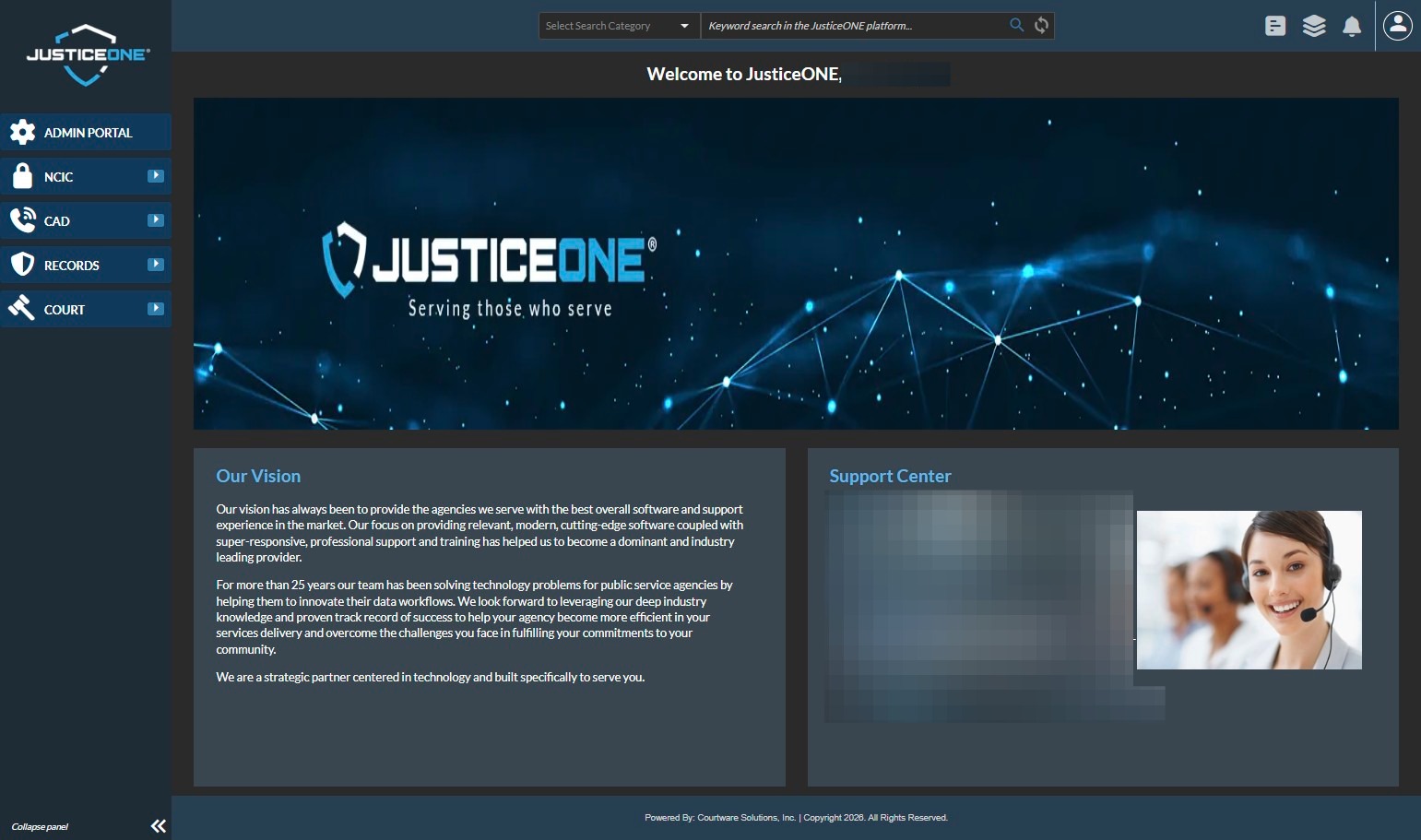
2. Click "RECORDS"
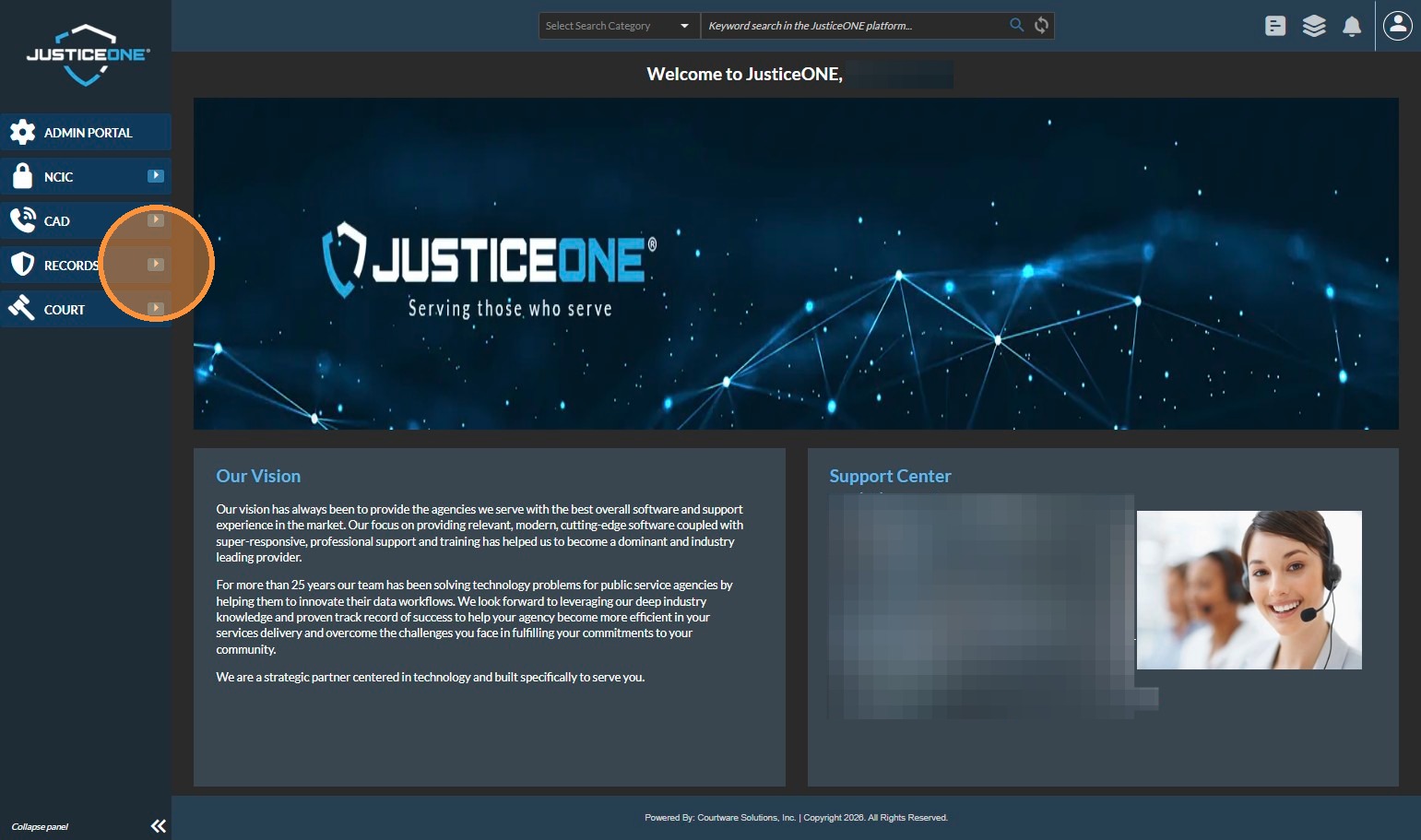
3. Click "Incidents"
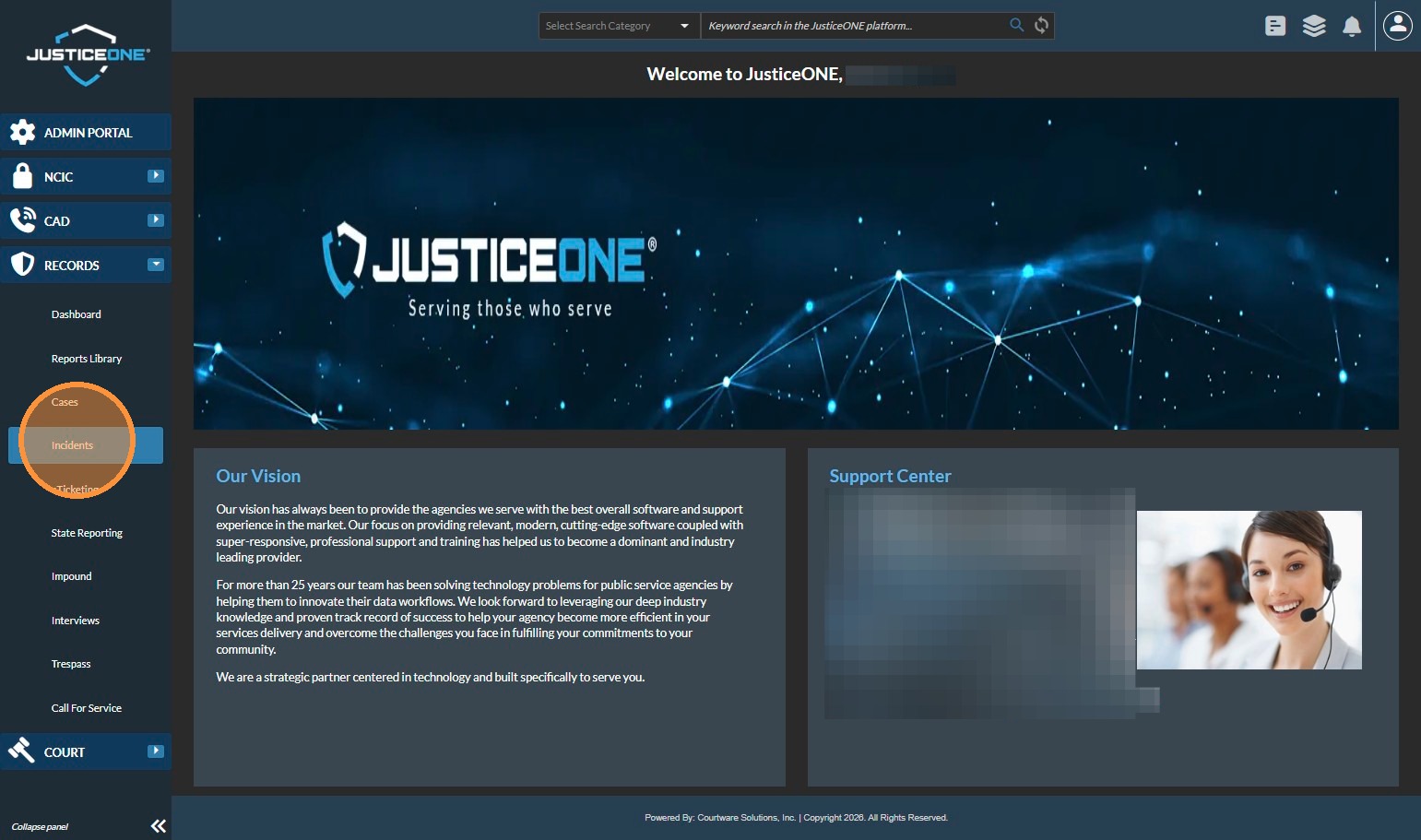
4. We need to make sure that "Offenses" are visible. If they are not, click on the "Grid Preferences" icon...
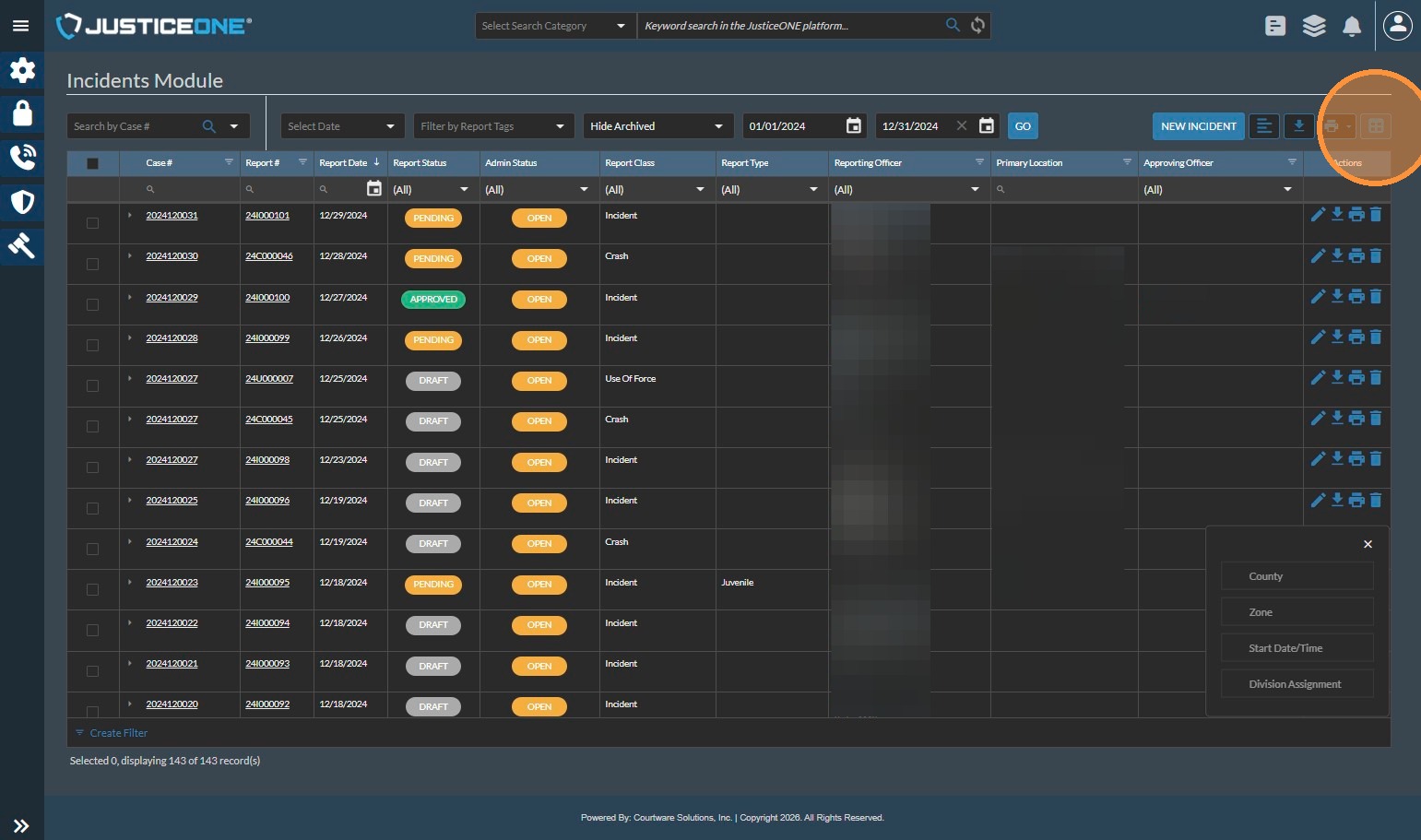
5. Click "Column Arrangement"
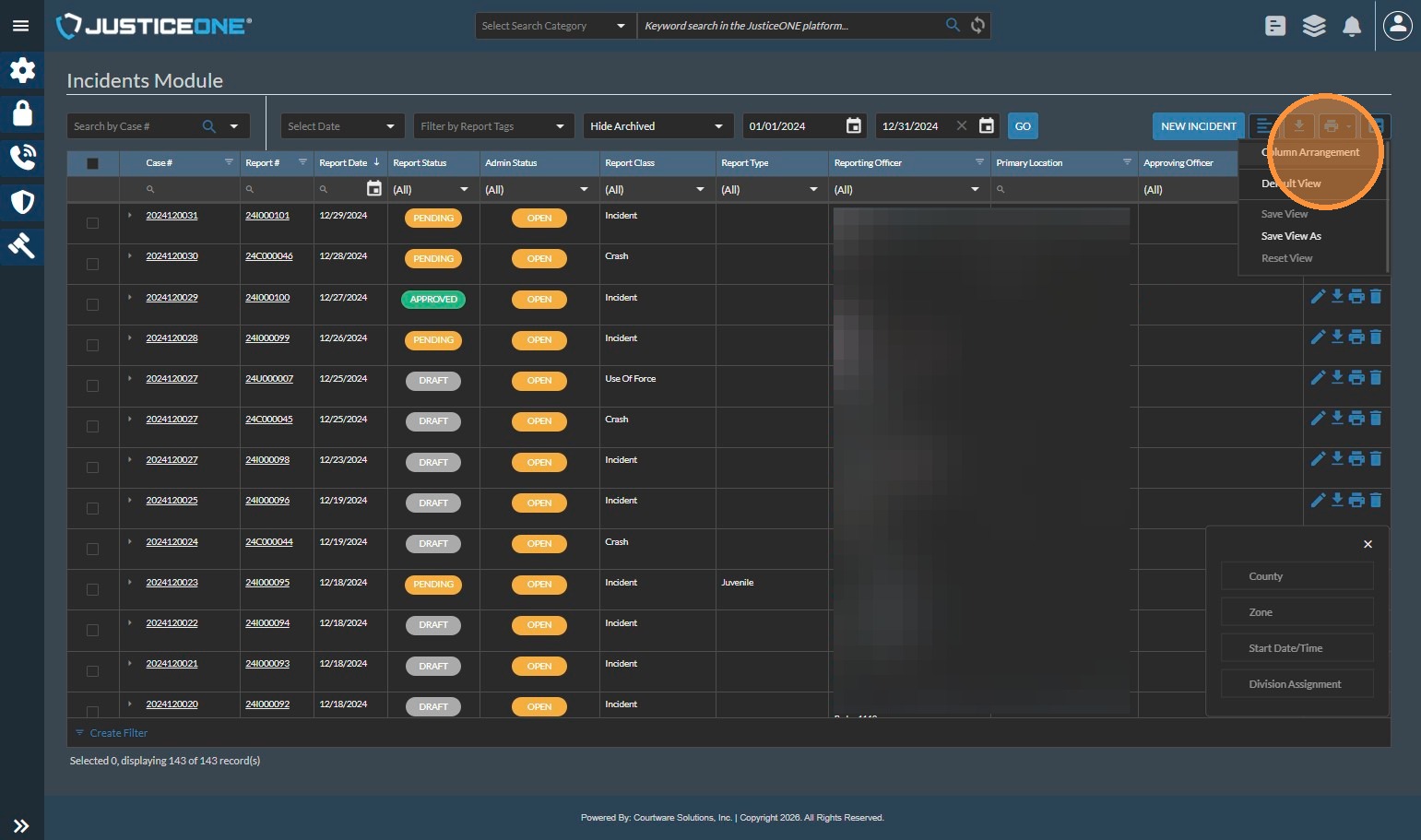
6. In the sub-window that appears, click and drag "Offenses" into the grid field, wherever you choose to display it.
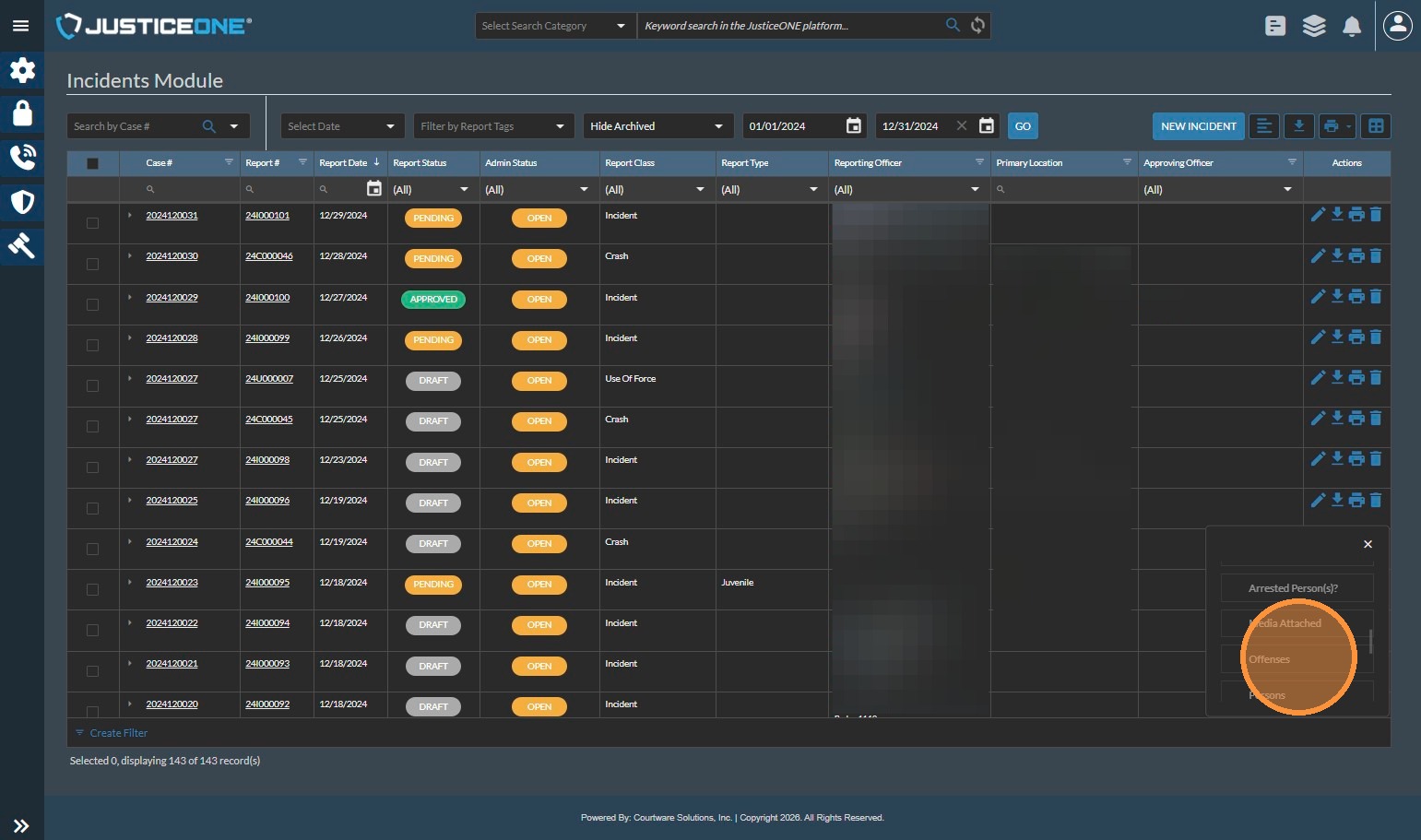
7. Click in the filter area for "Offenses" and search for the offenses that match your reporting criteria.
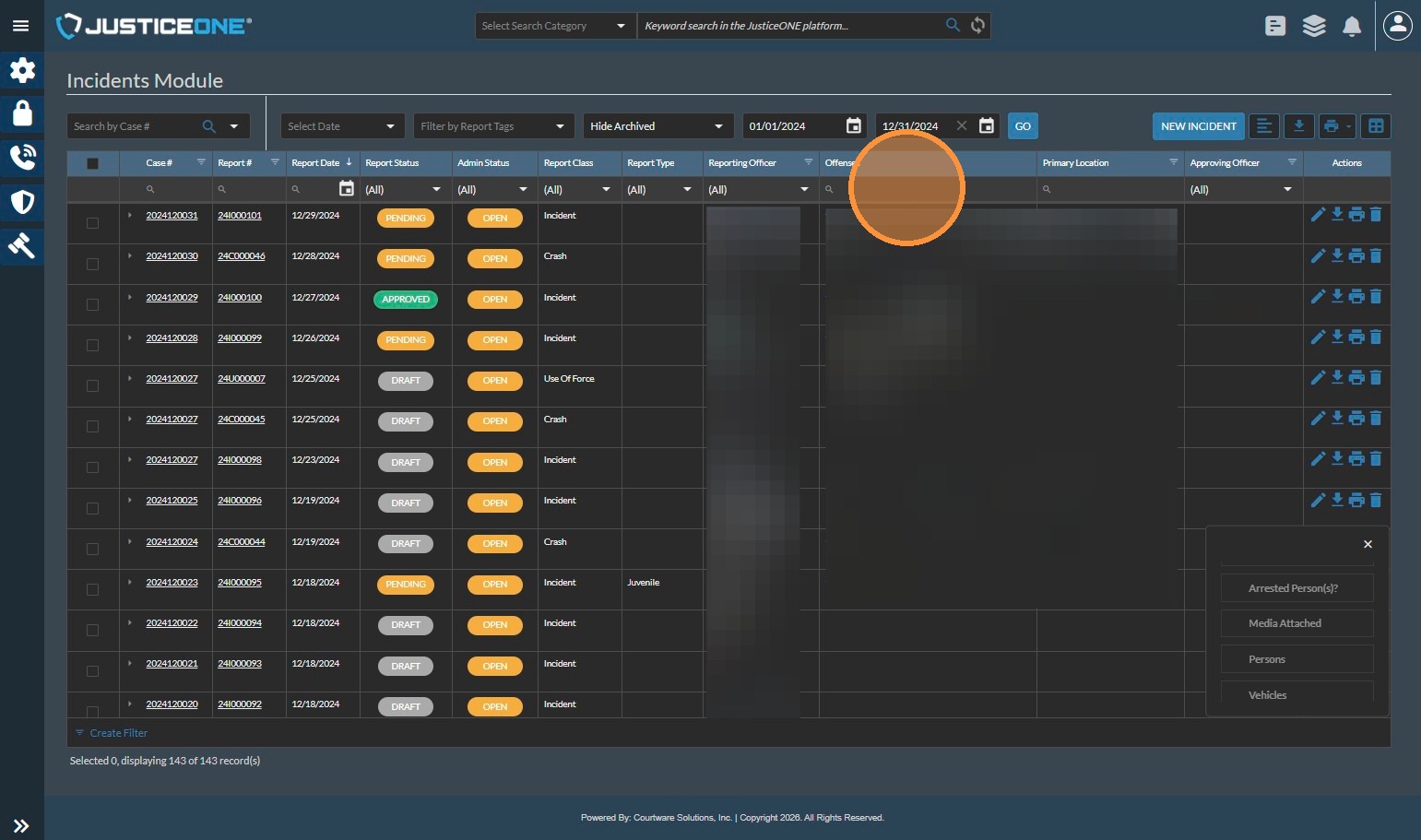
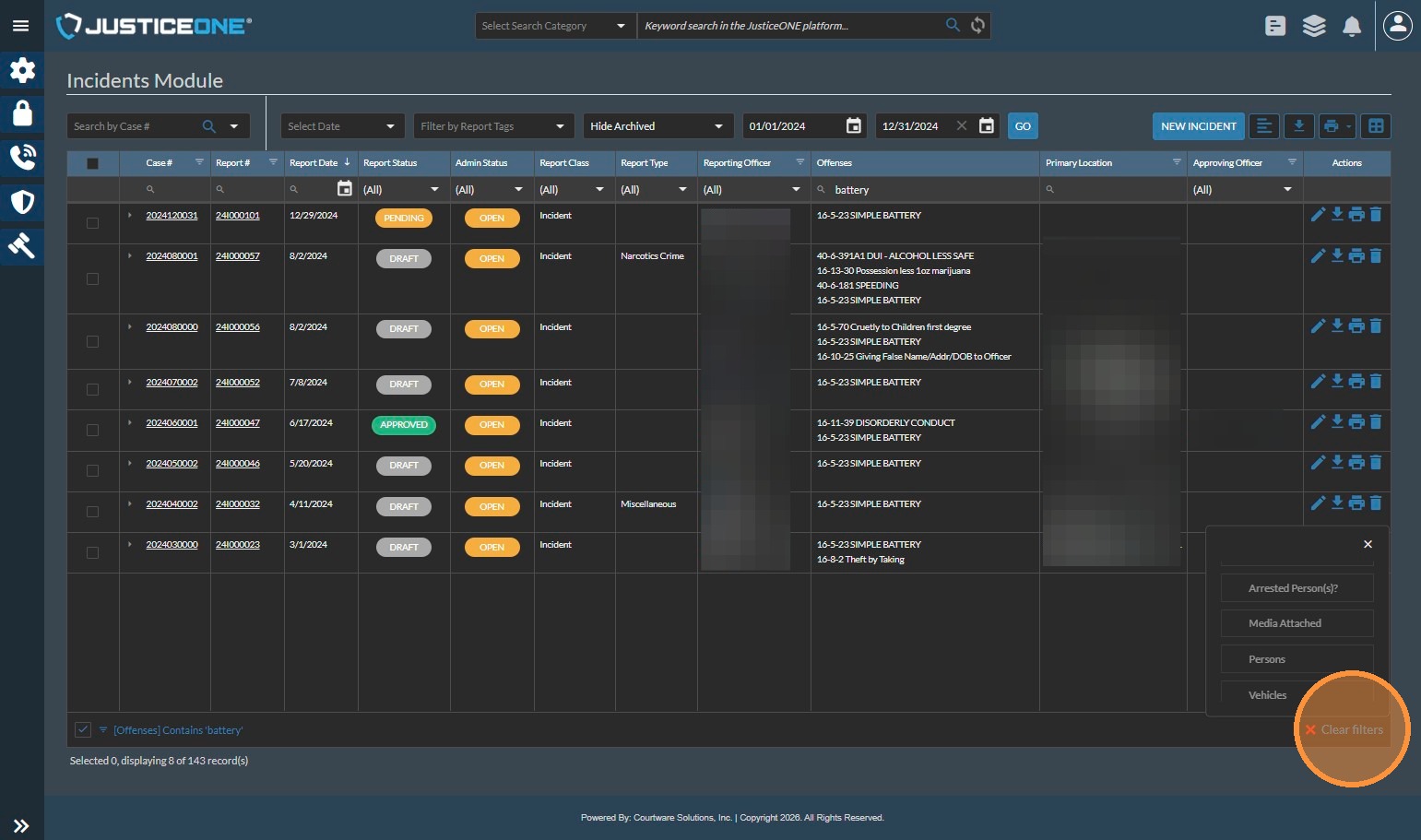
8. In this case, we will look for all forms of Battery (Simple Battery, Battery and Aggravated Battery), so we will type "battery"
9. And the system tells us that there are 8 reports with offenses containing "Battery".
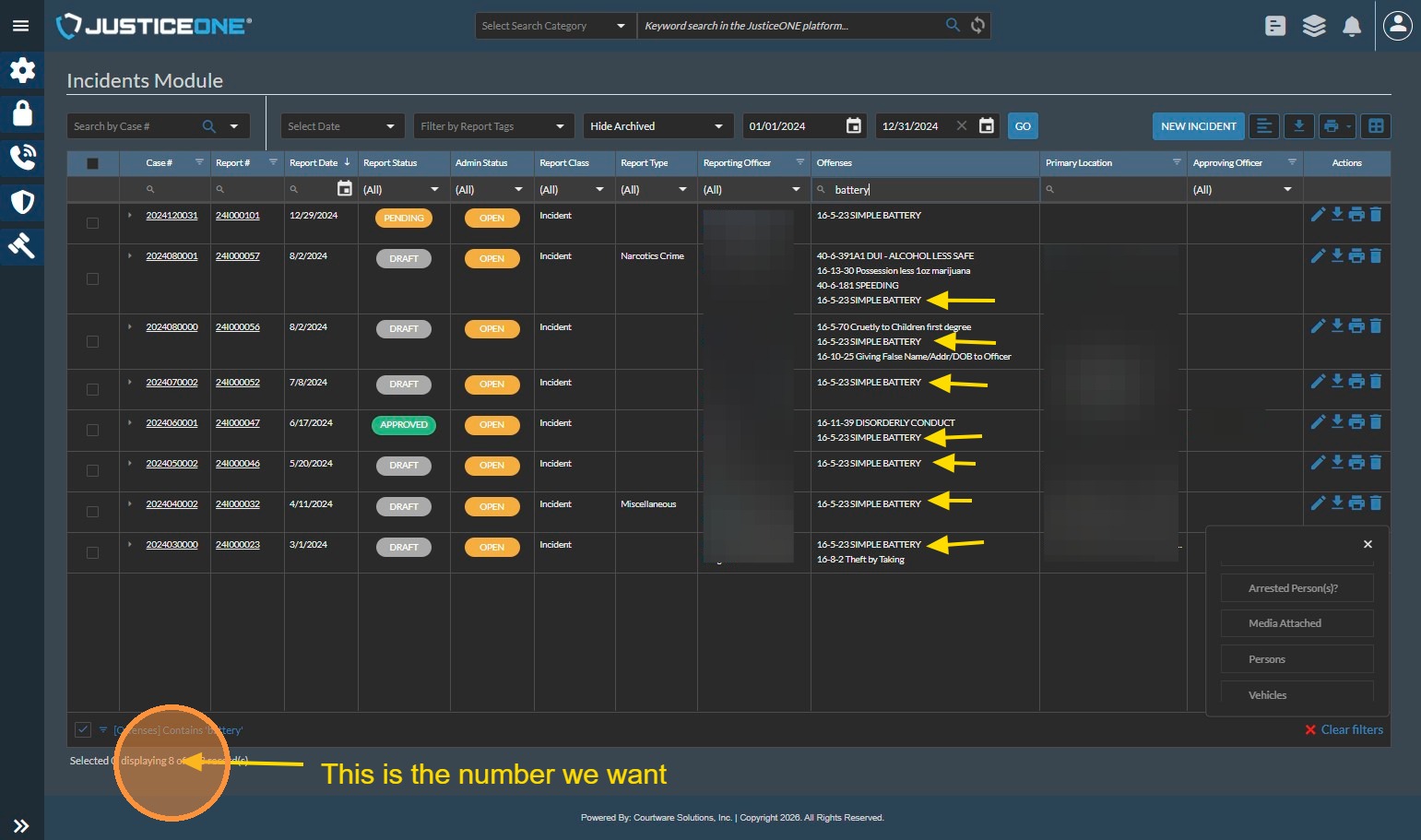
10. Once we have notated the number for "Battery", we can search for multiple codes that do not share a common word or phrase. In this case we will search also for trespass offenses.
Click "Clear Filters"
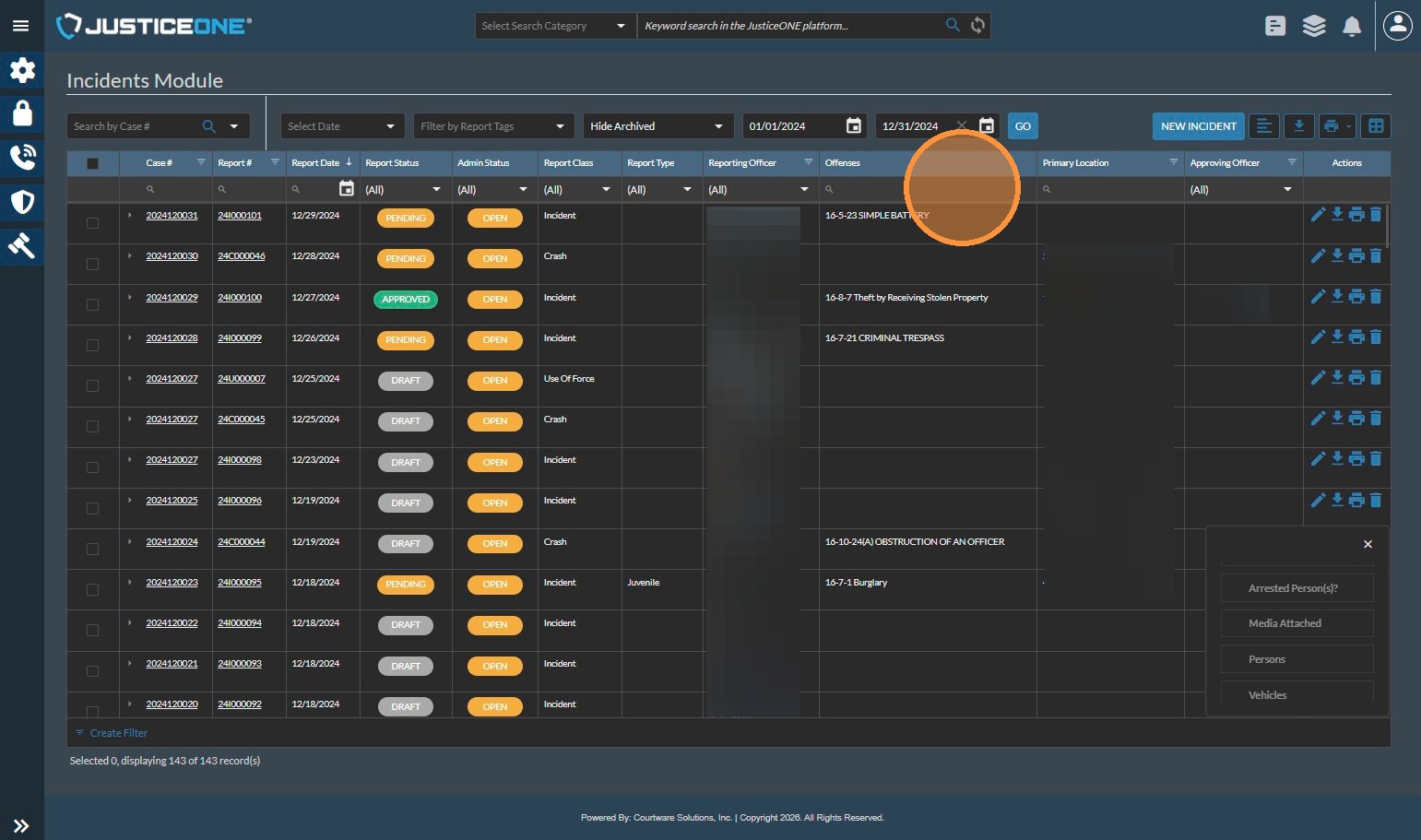
11. Click in the criteria field for offenses again
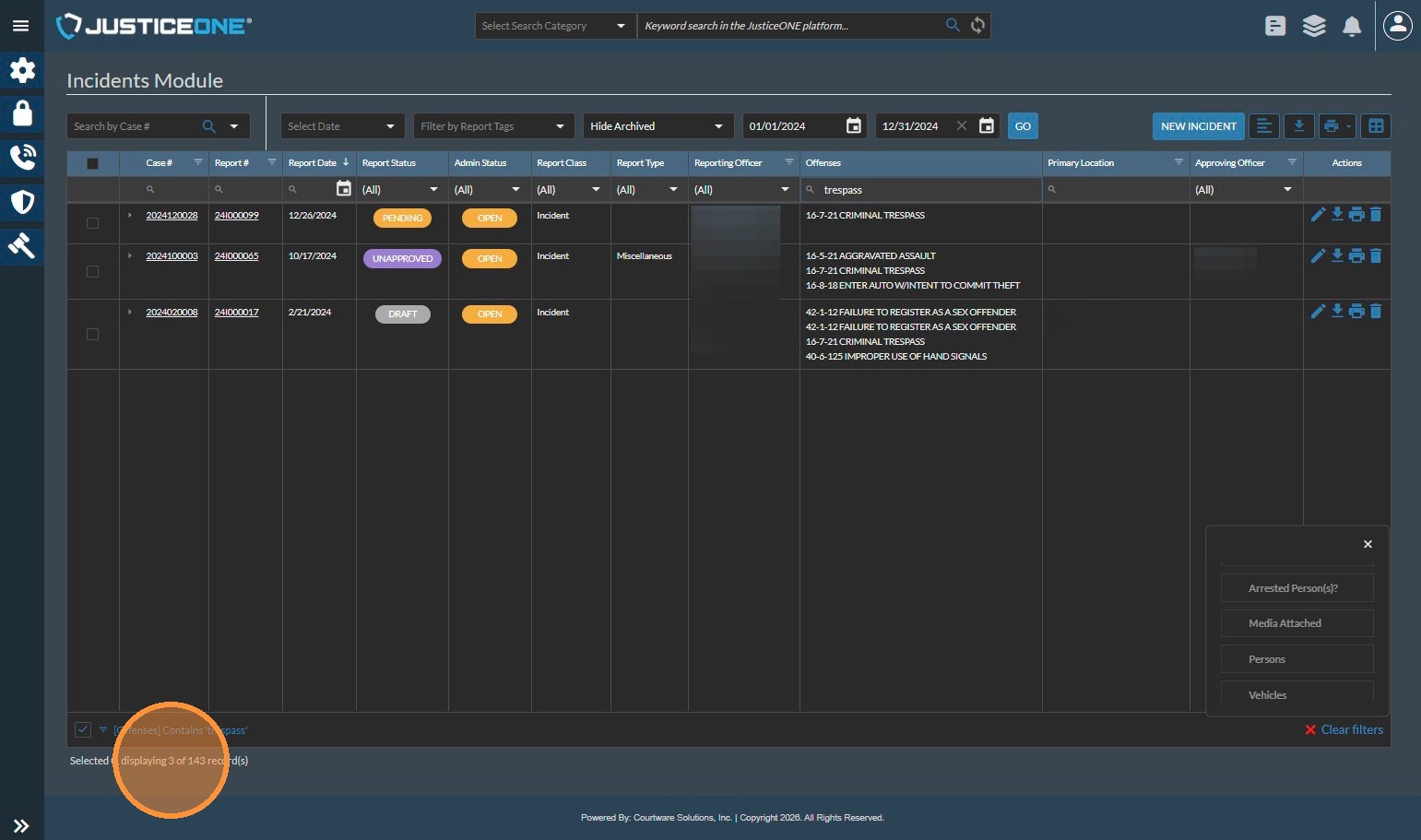
12. Type "trespass" into the field
13. And the system shows us 3 records.
To report battery and trespass offenses as a single line item for a report or grant, add this number to the result for battery (3+8) getting 11. So we can report that there were 11 total offenses meeting the criteria.
While we used battery and trespass for this example, you could use any combination of terms in this manner to obtain the numbers you need.
If this is a report that you will need to create on a regular basis, consider reaching out to our Support Team to request that we build a custom report to add to the system.
Related Articles
Report Data Sources: Officer Statistics Report
The Officer Statistics Report in JusticeONE RMS provides a summary of activity for a single officer through any specified time period. To run the report, follow the directions below: 1. From anywhere in JusticeONE, click "Records" 2. Click "Reports ...Searching for Specific Evidence Types in JusticeONE RMS
1. Navigate to https://www.justice-one.us/home/info 2. Click on the hamburger menu... 3. and select "Evidence" 4. Select your begin date 5. ... 6. Then select your end date... 7. ... 8. Select the first evidence room to work with. If your search ...Adding a Violation Code in JusticeONE Admin Portal
To add a Violation Code to the JusticeONE Platform: Open a web browser and navigate to https://justice-one.us Login with administrator credentials. If you do not have administrator credentials, please contact someone at your agency who can assist ...Pulling Specific Activity Code Statistics
1. Navigate to https://www.justice-one.us and log in 2. Click on the hamburger menu 3. Click "Activity Log" 4. Filter for time period first, entering the begin date 5. ... 6. and the end date 7. ... 8. Then click "GO" 9. Once the data is populated, ...JusticeONE RMS: Report Approval
To approve a report in JusticeONE RMS: 1. Find the report in question and click the pencil icon or the incident/crash number to open the report. 2. Go through the report and ensure that it is worthy of approval. 3. Use the approval dropdown box to ...