JusticeONE RMS: Report Approval
To approve a report in JusticeONE RMS:
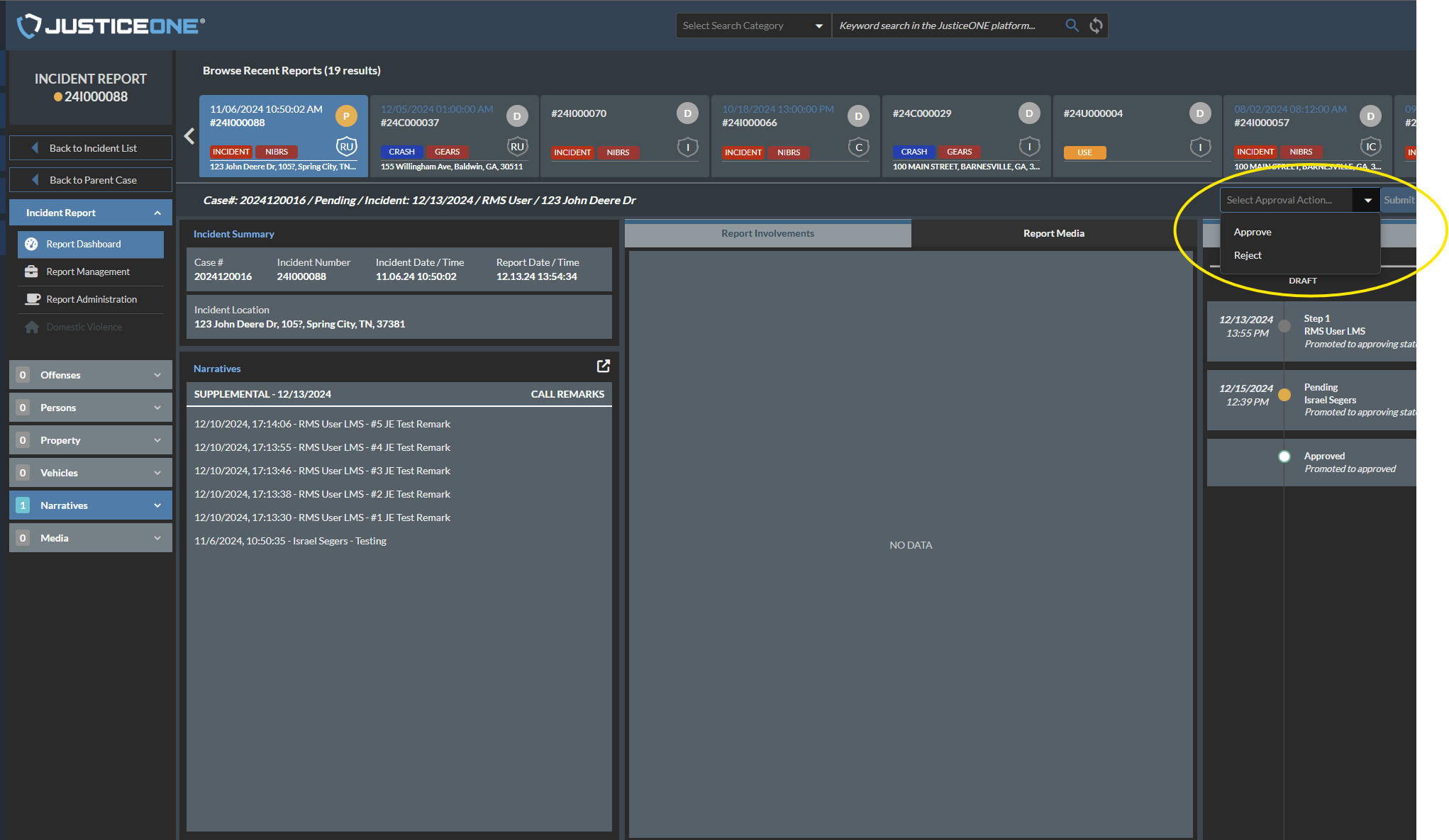
1. Find the report in question and click the pencil icon or the incident/crash number to open the report.
2. Go through the report and ensure that it is worthy of approval.
3. Use the approval dropdown box to select "Approve" or "Reject" as appropriate, then click "Submit" (See Image Below)
4. The system will ask you in a popup if you would like to leave a comment regarding the approval / rejection:
a. If you would like to leave a comment, select "yes" and type your comment in the text box that appears.
b. If you would not like to leave a comment, select "No".
5. This should complete the approval process.
Related Articles
Report Data Sources: Officer Statistics Report
The Officer Statistics Report in JusticeONE RMS provides a summary of activity for a single officer through any specified time period. To run the report, follow the directions below: 1. From anywhere in JusticeONE, click "Records" 2. Click "Reports ...Adding Logos and QR Codes in JusticeONE Report Customization
Adding Logos and QR codes in Report Customization (FTA Courtesy Letters, Reschedule Template, etc.) Navigate to the Admin Portal. Go to “System Setup” and select “Report Customization” in the dropdown menu. Locate your Logo and use the “Snipping ...Change a Report Type in JusticeONE Admin Portal
1. Navigate to https://www.justice-one.us/home/info 2. Click "ADMIN PORTAL" 3. Click "Lookup Values" 4. Click "Records Lookups" 5. Click "Select" 6. Click "Cases / Reports" 7. Click "INCIDENT" 8. Click "REPORT TYPE" 9. Click the pencil icon to the ...Keeping a Copy of your VCMS Import Error Report after importing from JusticeONE RMS.
1. First, run your JusticeONE Import in VCMS. 2. When the import process completes, this .pdf will appear. This is your Import Error Report, and they are designed for troubleshooting the import you just processed. While it is not necessary to ...Pulling Statistics for Specific Offenses in JusticeONE RMS
1. Navigate to https://www.justice-one.us/home/info 2. Click "RECORDS" 3. Click "Incidents" 4. We need to make sure that "Offenses" are visible. If they are not, click on the "Grid Preferences" icon... 5. Click "Column Arrangement" 6. In the ...