How to Run the Georgia AOC Caseload Report in VCMS
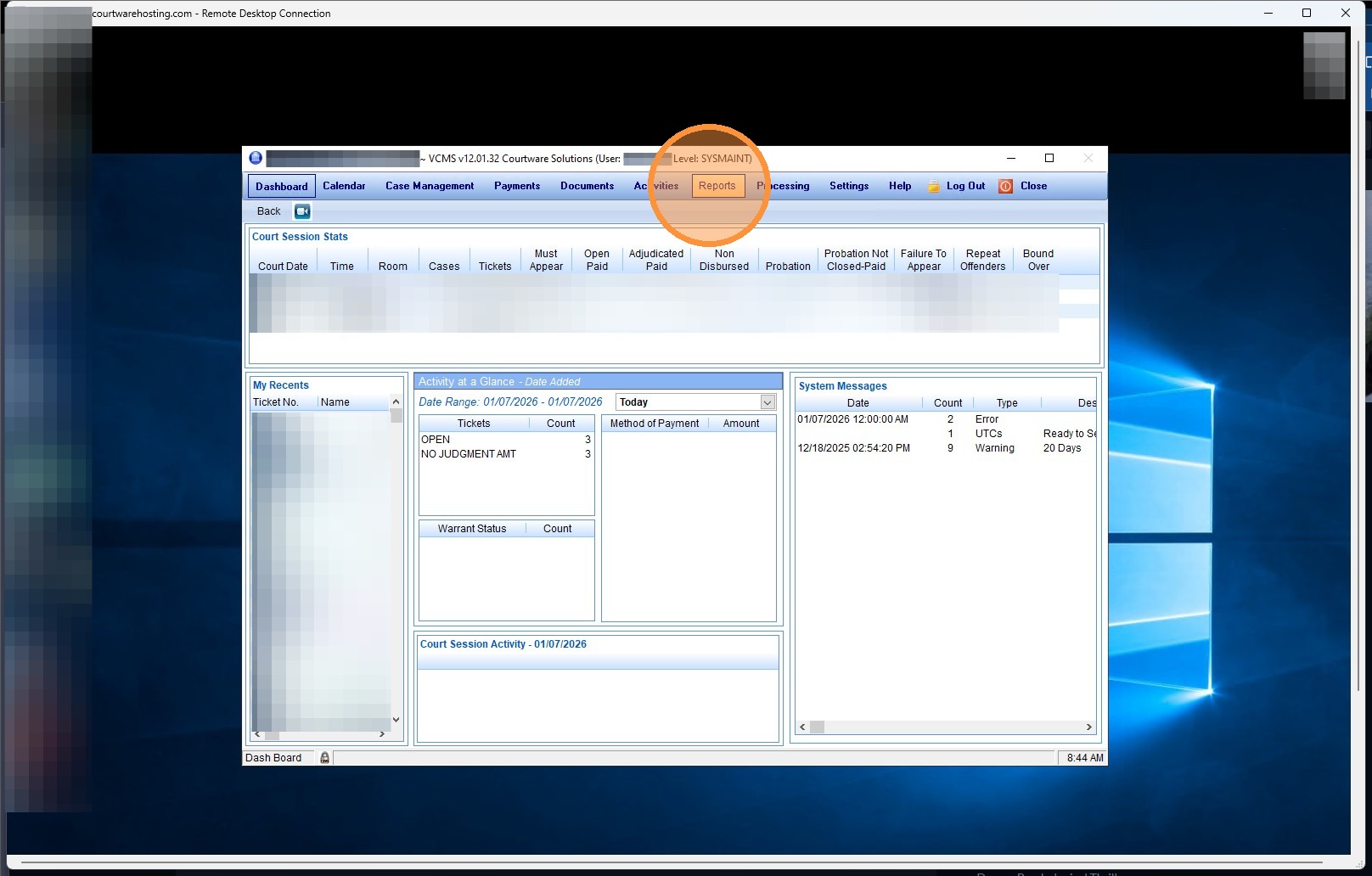
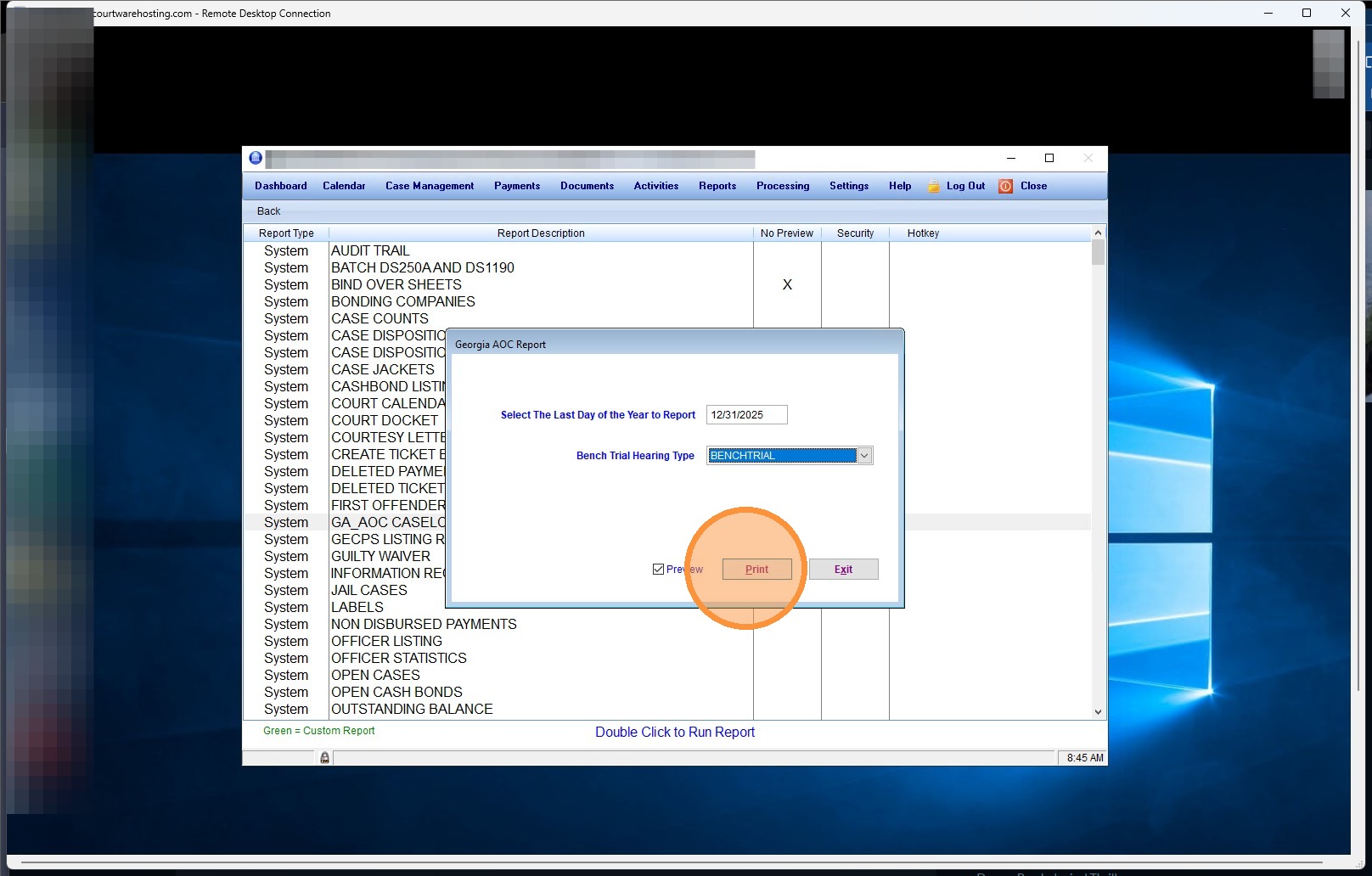
1. Click "Reports"
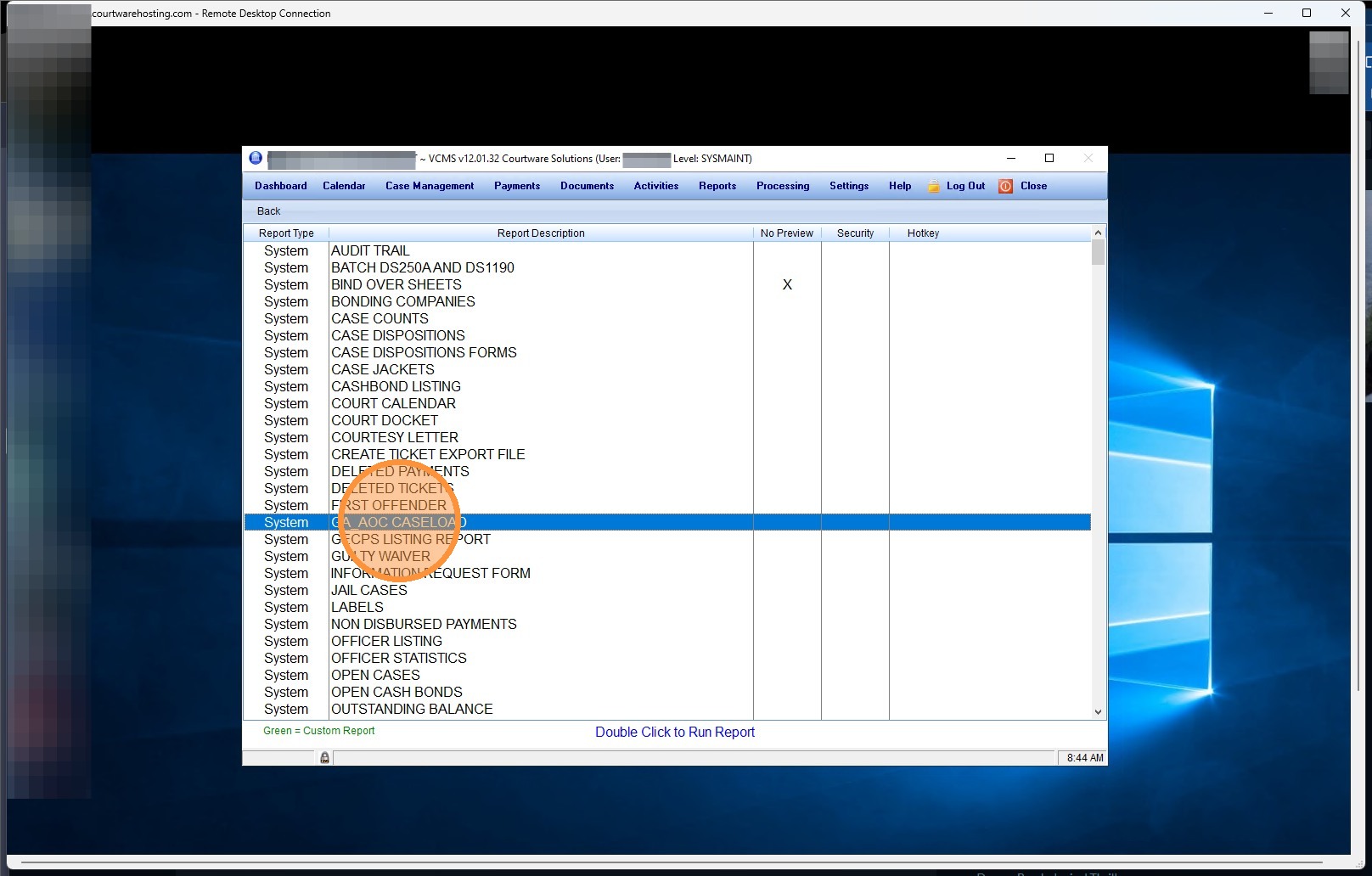
2. Double-click "GA_AOC CASELOAD"
3. Enter the last day of the year you are reporting (for 2025, you would use 12/31/2025);
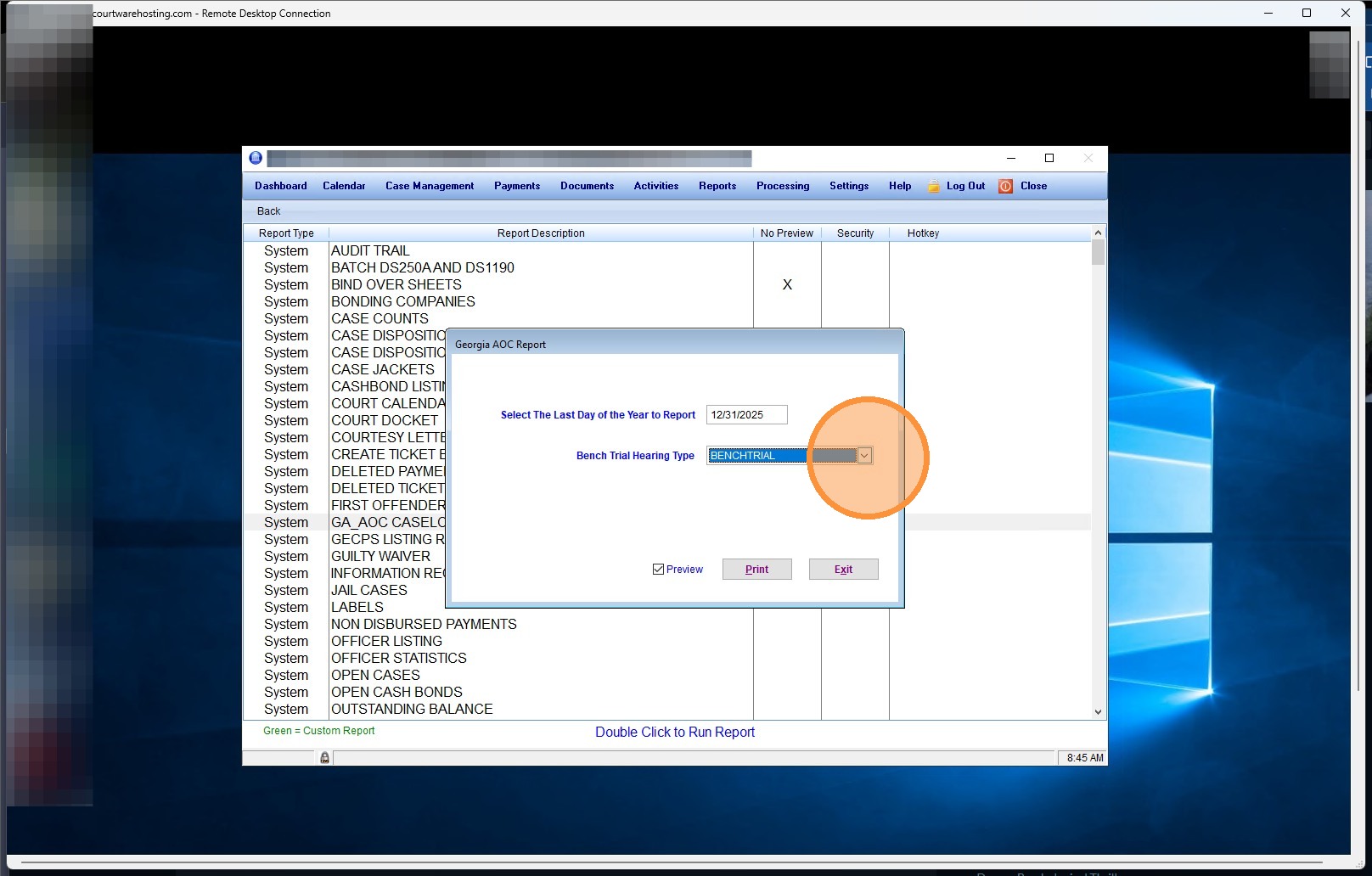
4. then select the hearing type that your court uses to document bench trials.
For most courts, this will be "BENCHTRIAL".
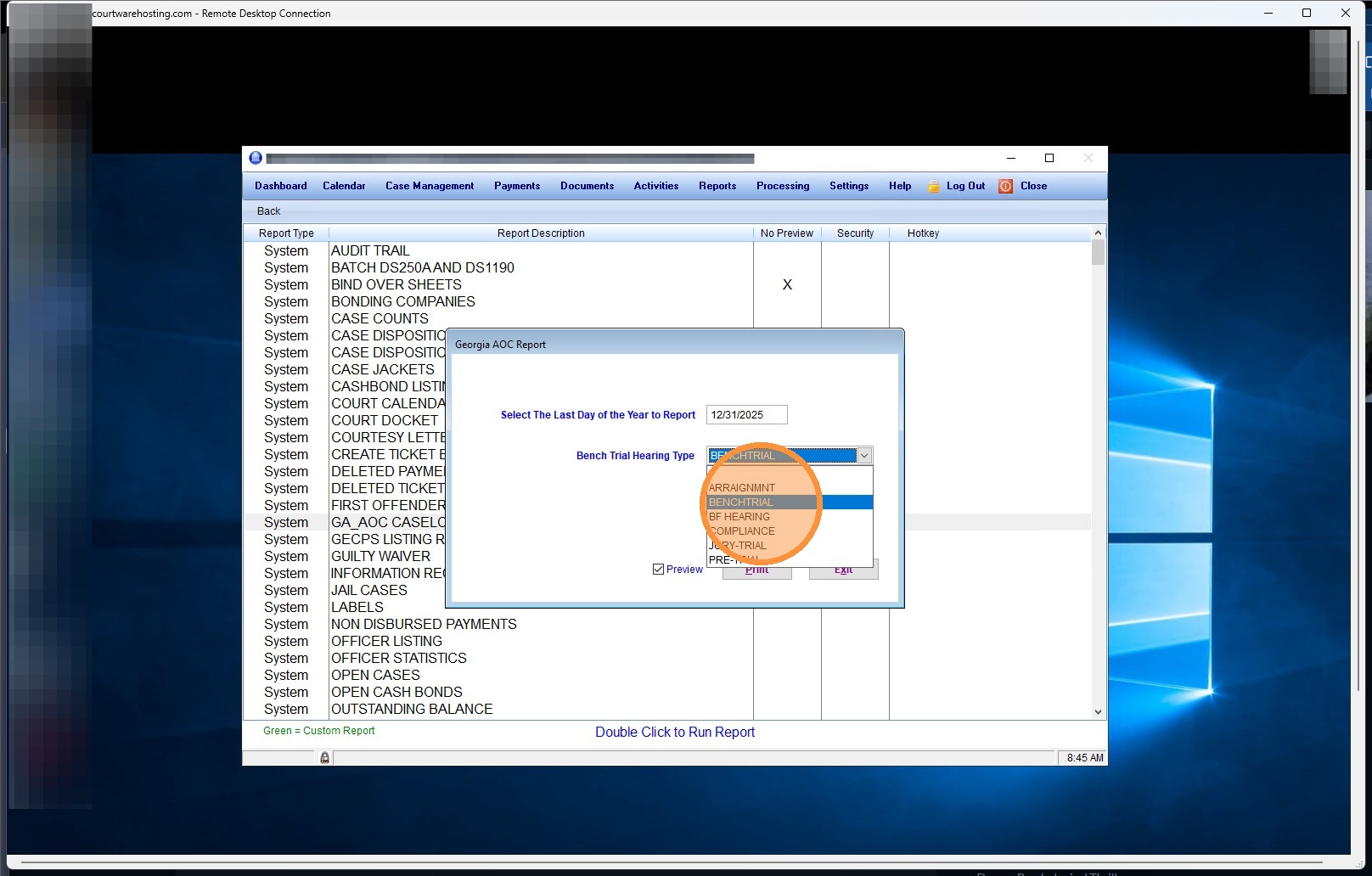
5. Click "Print", and the report will be produced.
Alert: Check your report for negative numbers. Negative numbers occur when a ticket marked as your bench trial hearing type (again, BENCHTRIAL for most agencies) is set to any "Bind-Over" finding.
If you see negative numbers, use the "Ticket Listing" report to locate these records. We will have an article for that process up shortly, and will link it here when it is complete.
If you need assistance in the meantime, please contact support.
Related Articles
How to Register an Account with the Georgia Administrative Office of the Courts to Import Georgia State Patrol Citations
Here's a knowledge base article outlining the steps to register an account with the Georgia Administrative Office of the Courts (AOC) to import Georgia State Patrol (GSP) citations. How to Register an Account with the Georgia Administrative Office of ...How to run NCIC in JusticeONE® Court
How to run NCIC in JusticeONE® Court Batch level 1. Login to NCIC by clicking the NCIC option in the left hand navigation, then Login 2. 3. After you have successfully logged in, choose the Court option 4. You now have two options on how to proceed ...How do I correct Import Errors in VCMS for GSP Citations?
Correcting Import Errors Officer Code Not Found Error Please note that you will need the following information to correct this error: 1. The Import Error list that prints when attempting to run the Consolidated Ticket Import in VCMS. This error ...Entering a New Ticket in VCMS
To enter a ticket/citation into VCMS follow the instructions below Below are the steps for entering a new ticket (citation) into VCMS. Step 1: From the top menu, select “Case Management,” which opens the case management screen and includes the ...Report Data Sources: Officer Statistics Report
The Officer Statistics Report in JusticeONE RMS provides a summary of activity for a single officer through any specified time period. To run the report, follow the directions below: 1. From anywhere in JusticeONE, click "Records" 2. Click "Reports ...