Forfeiting a Cash Bond in VCMS
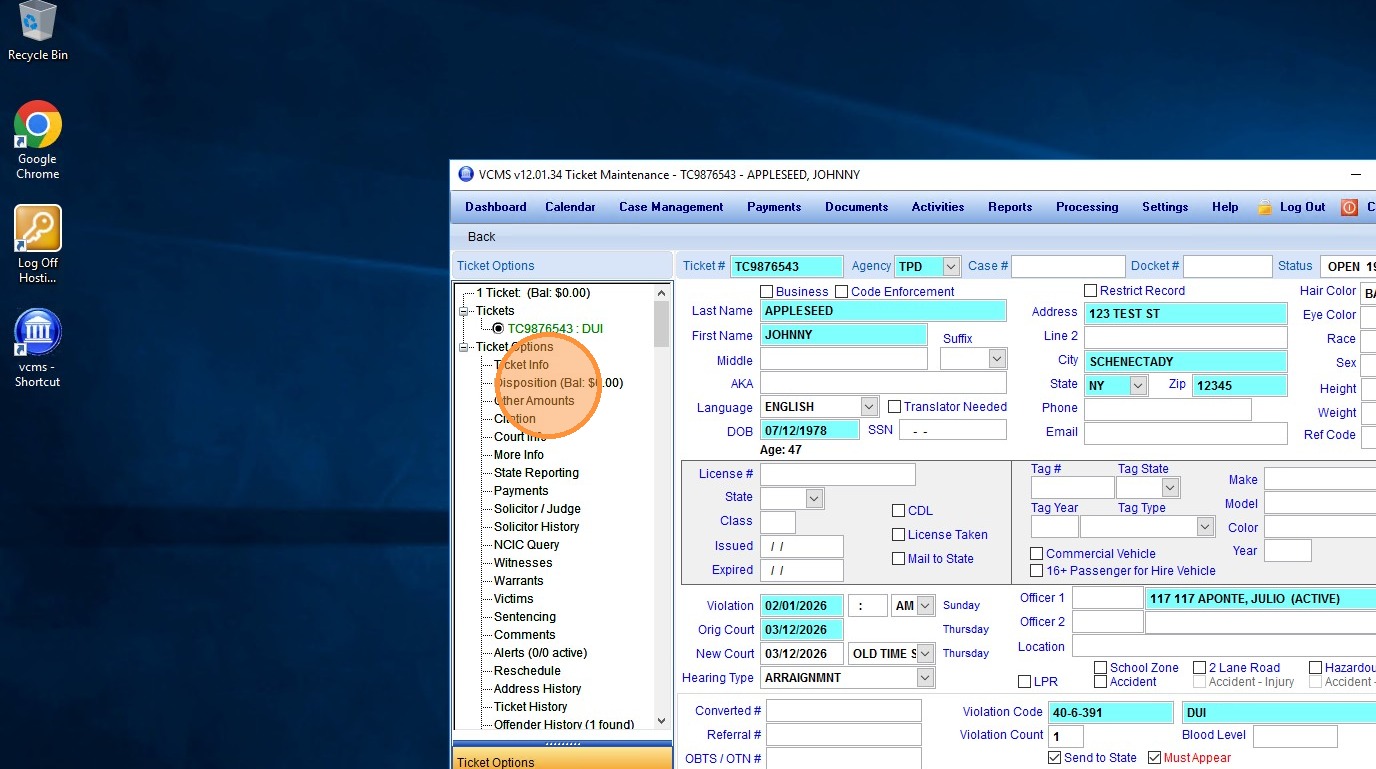
1. To forfeit a whole or partial cash bond, first navigate to the ticket in question, and select "Disposition"
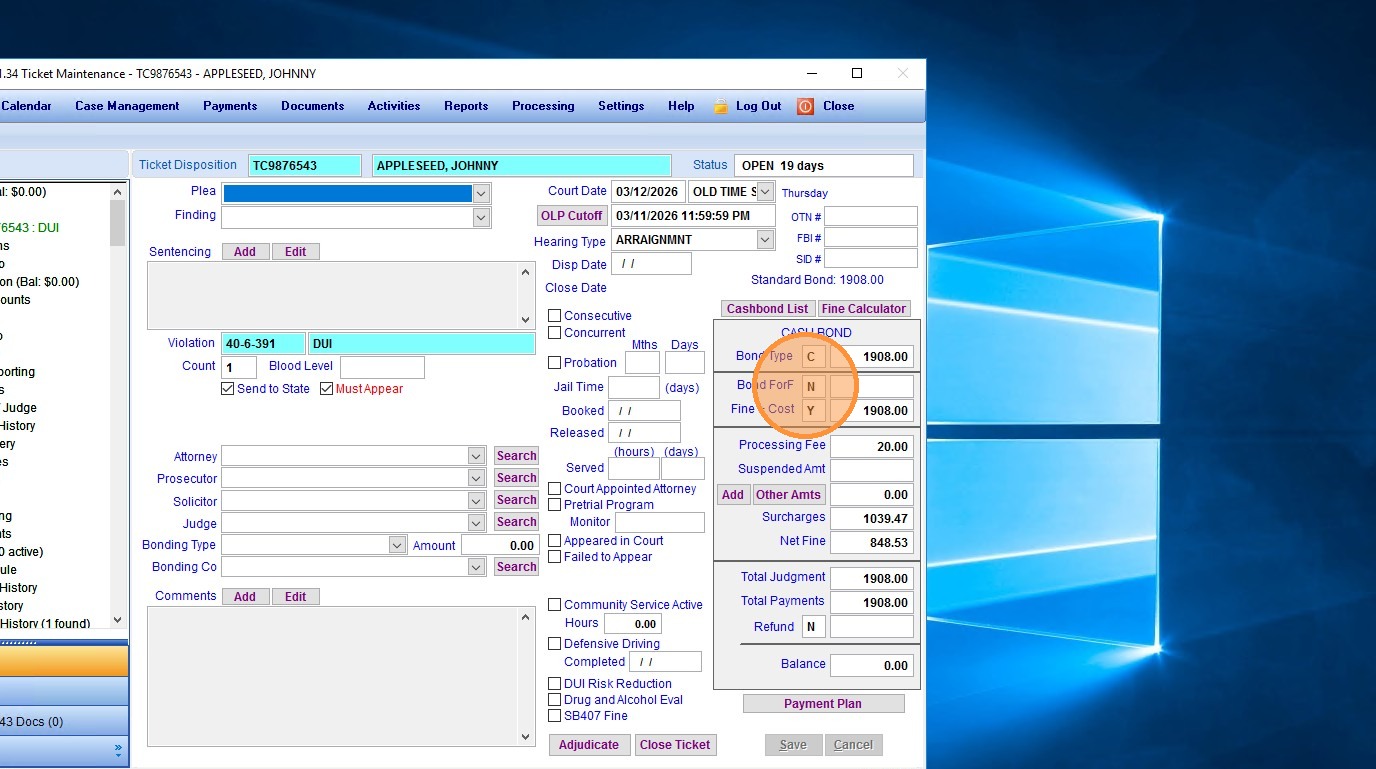
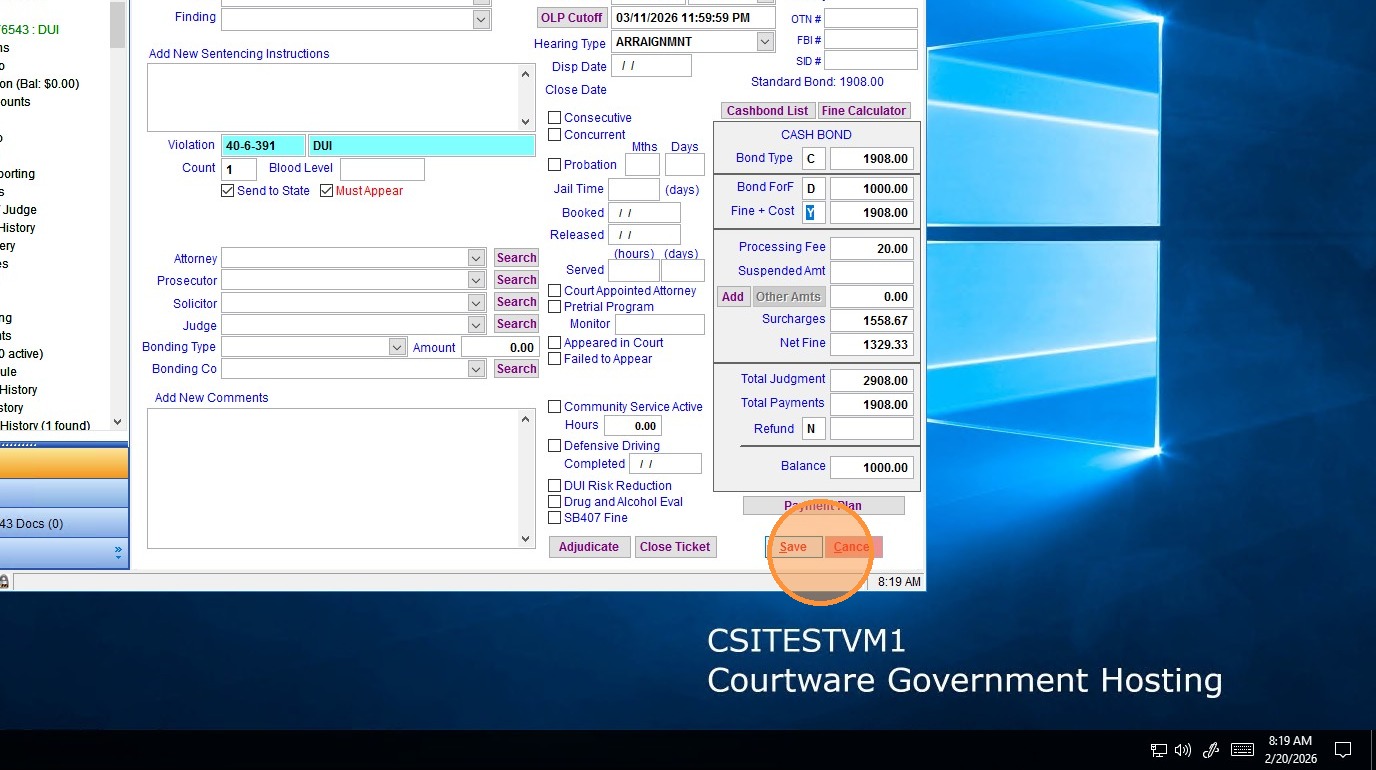
2. To forfeit the entire cash bond, simply replace the "N" in the "Bond Forf" field with a "Y"...
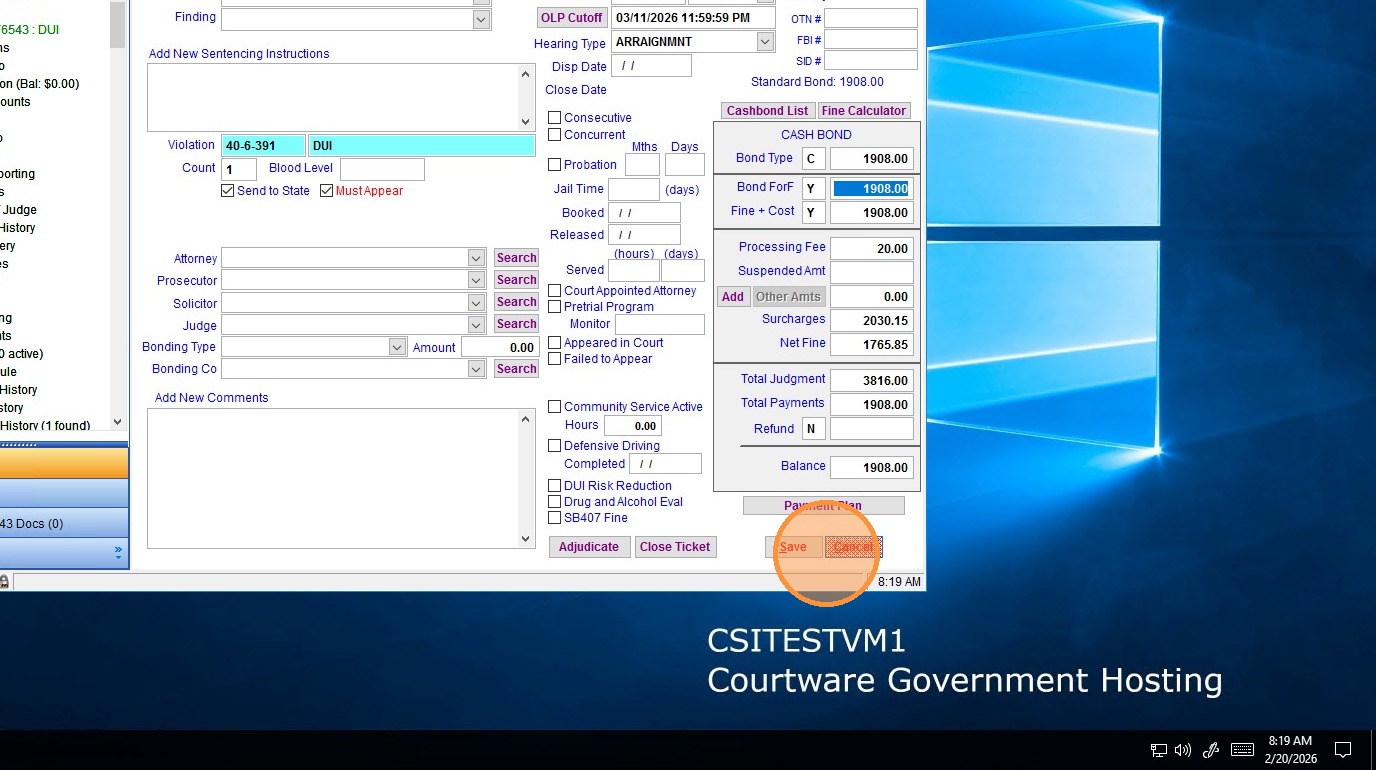
3. And the system will automatically enter the full amount of the bond into the forfeiture field.
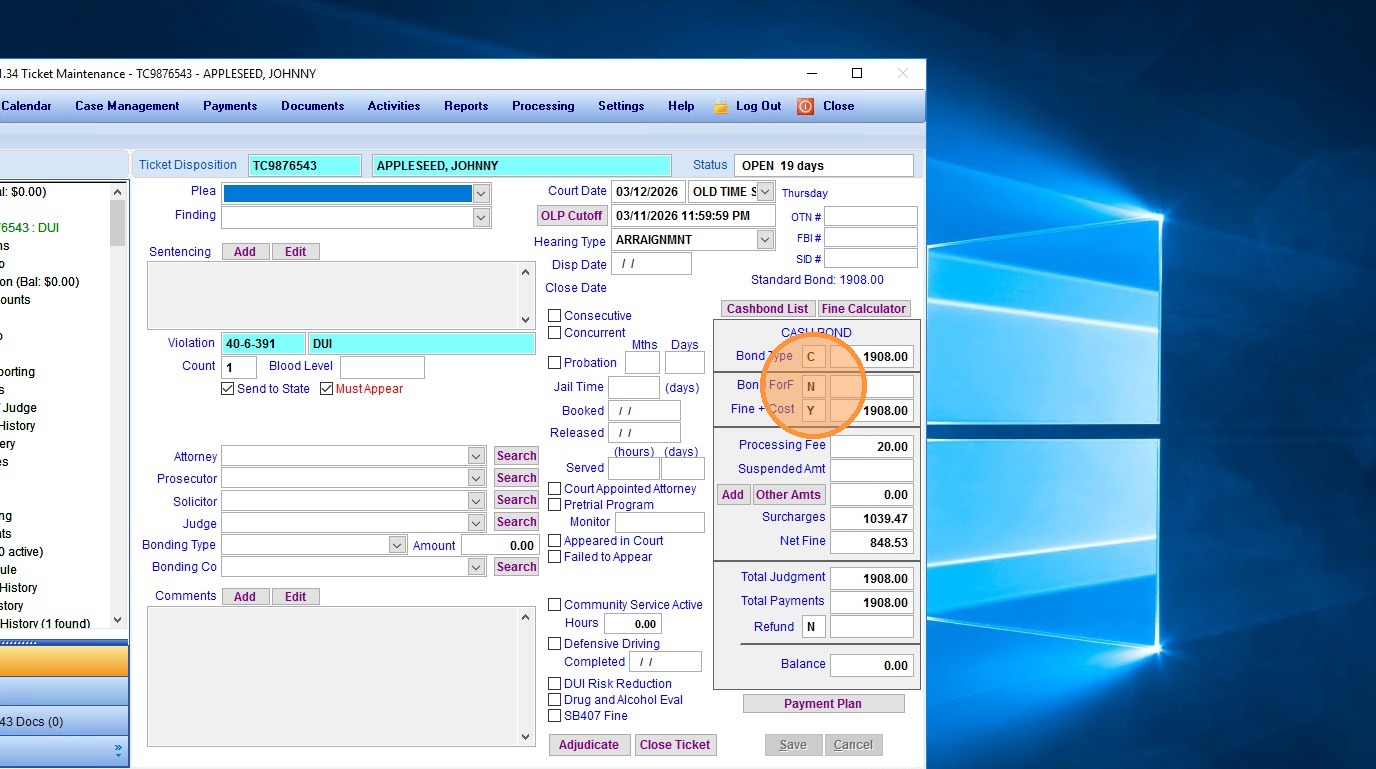
4. To forfeit only a portion of the cash bond, Change the "N" to a "D" (For "Different Amount), and then type the amount of the bond to be forfeited (In this case we will use $1000) in the far right Bond Forf field.
5. Ensure that the information entered is correct and click "save". The bond is now either fully or partially forfeited!
Made with Scribe
Related Articles
How to run Auto Bond Forfeiture
How to run Auto Bond Forfeiture There are now two ways to run the Auto Bond Forfeiture/Auto Case Closing function: from the left-hand navigation or from the Case Management screen. Auto Case Closing Menu Option: 1. Login to the Court product 2. ...Entering a New Ticket in VCMS
To enter a ticket/citation into VCMS follow the instructions below Below are the steps for entering a new ticket (citation) into VCMS. Step 1: From the top menu, select “Case Management,” which opens the case management screen and includes the ...How to add a bond amount to a violation code
How to add a bond amount to a violation code New Violation Code 1. Login to the Admin Portal 2. Navigate to Lookup Values | Court Lookups | Violations/Cashbonds 3. Click the Add Violation button 4. You’ll now enter all information for the violation ...VCMS: Ticket Entry
There are multiple ways to enter a ticket manually into VCMS. For a video walk through, please use the link below and fast forward to 21:45 in the video. This video is a VCMS Court Clerk webinar where we are teaching the highlights of working in ...How do I correct Import Errors in VCMS for GSP Citations?
Correcting Import Errors Officer Code Not Found Error Please note that you will need the following information to correct this error: 1. The Import Error list that prints when attempting to run the Consolidated Ticket Import in VCMS. This error ...