How to Update or Remove User Credentials in JusticeONE Mobile NCIC
Learn the necessary steps to modify saved account information within the JusticeONE Mobile RMS platform. This guide provides a quick way to clear outdated credentials to maintain accurate access for your agency systems.
1. Click Settings icon
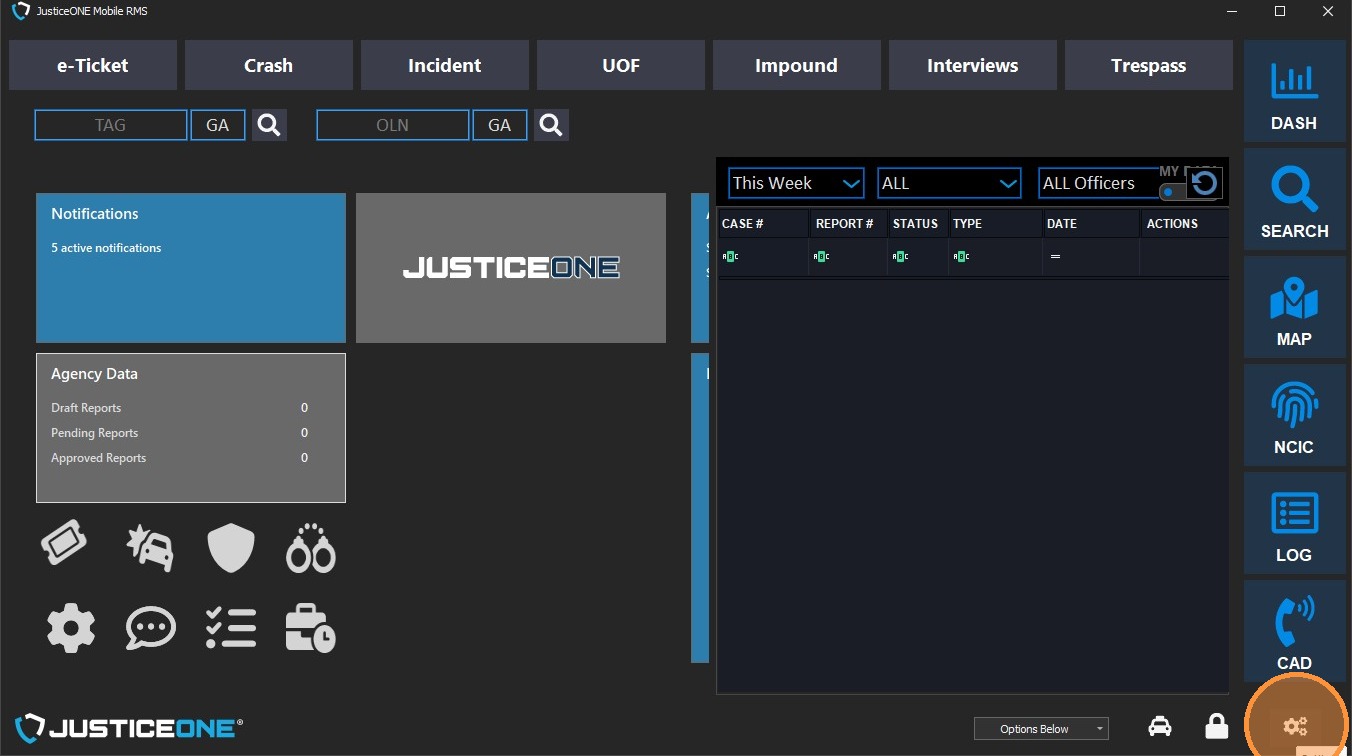
2. Select NCIC tab
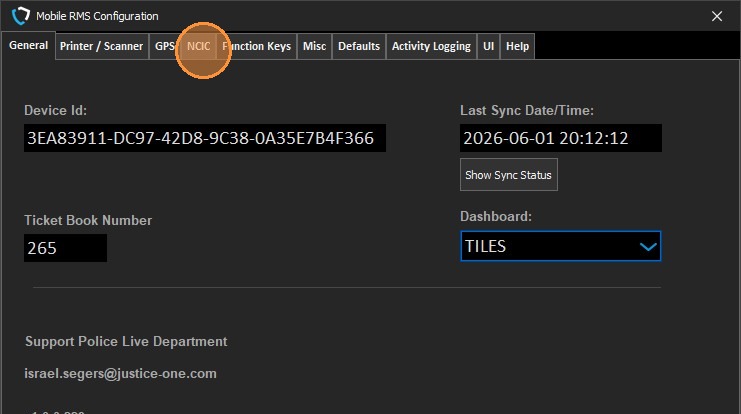
3. Click into the "User ID" field
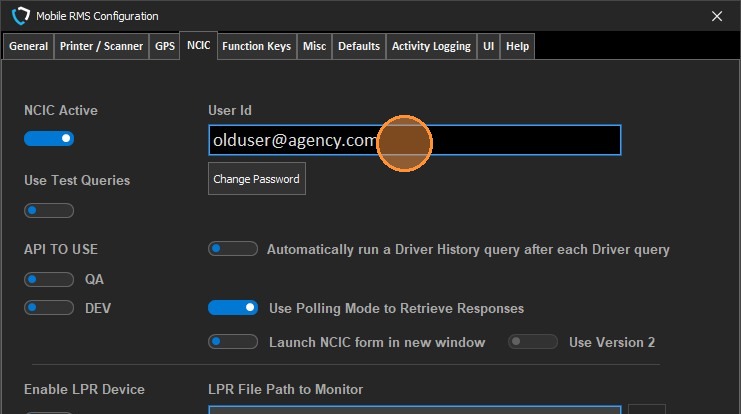
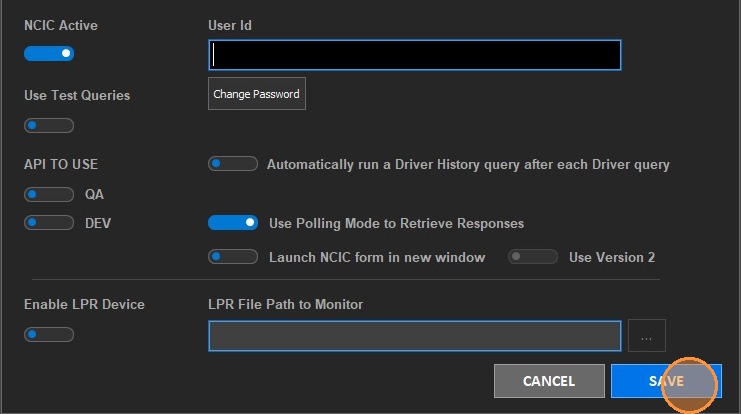
4. Press "Backspace" to clear the field, then replace with new username if desired
5. Click "SAVE"
Related Articles
JusticeONE Mobile: "The browser based authentication dialog failed to complete. Reason: The request could not be processed by the server due to invalid syntax"
This error is often a sign that your Microsoft Account (Outlook.com) security information—specifically the recovery options—needs to be updated or completed. Here is the error message you received and step-by-step instructions on how to set or update ...Explanation of the NCIC Header record
We are often asked how we can determine information to support our customers with the NCIC products. We can determine information about searches from the header record. This is the very top record that NCIC or the State appropriate agency returns ...Installing JusticeONE Mobile
To install JusticeONE Mobile on a new machine: Prerequisites: Make sure all Windows updates are fully installed Restart the computer using "Start - Restart" (Shutdown and power back on is not sufficient in most cases). On the computer on which Mobile ...How to run NCIC in JusticeONE® Court
How to run NCIC in JusticeONE® Court Batch level 1. Login to NCIC by clicking the NCIC option in the left hand navigation, then Login 2. 3. After you have successfully logged in, choose the Court option 4. You now have two options on how to proceed ...JusticeONE® NCIC Password Reset
Resetting a JusticeONE® Sheild of Justice Password Below are the steps to reset your password for Sheild of Justice. Step 1: Go to shieldofjustice.us on any browser from a secure internet connection Step 2: Click the “Forgot Password” link next to ...