How to convert a portion of a Pre-Trial Fee in VCMS
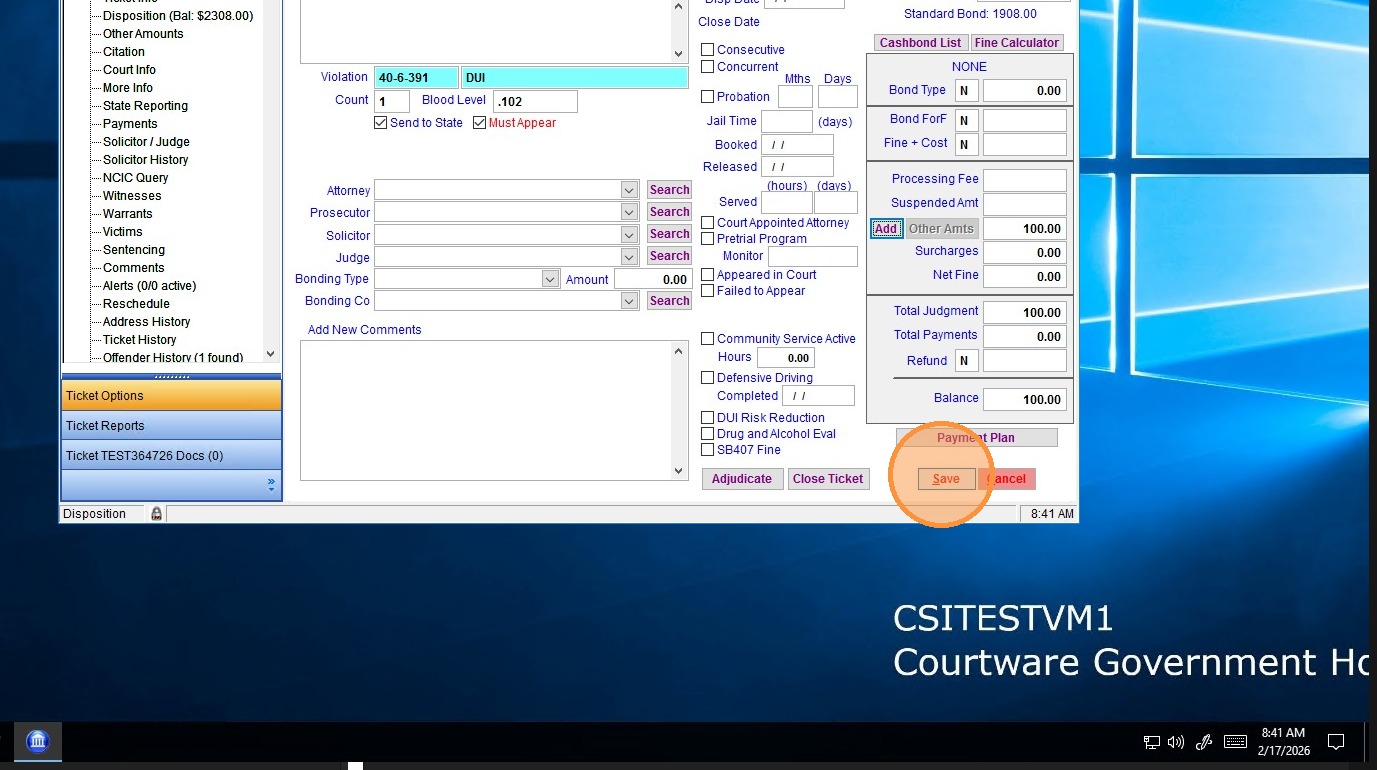
1. From the Disposition page in the ticket in question, click "Add" to add an "other amount"
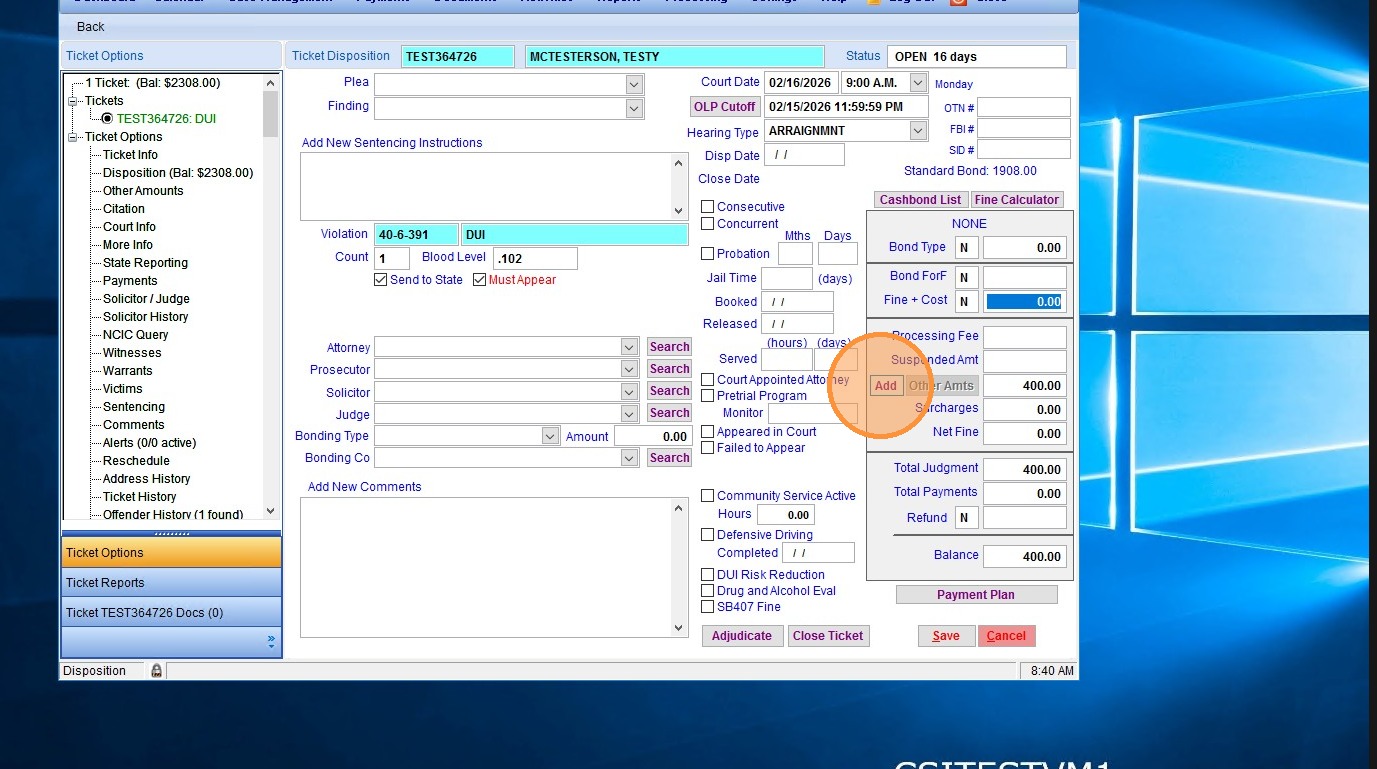
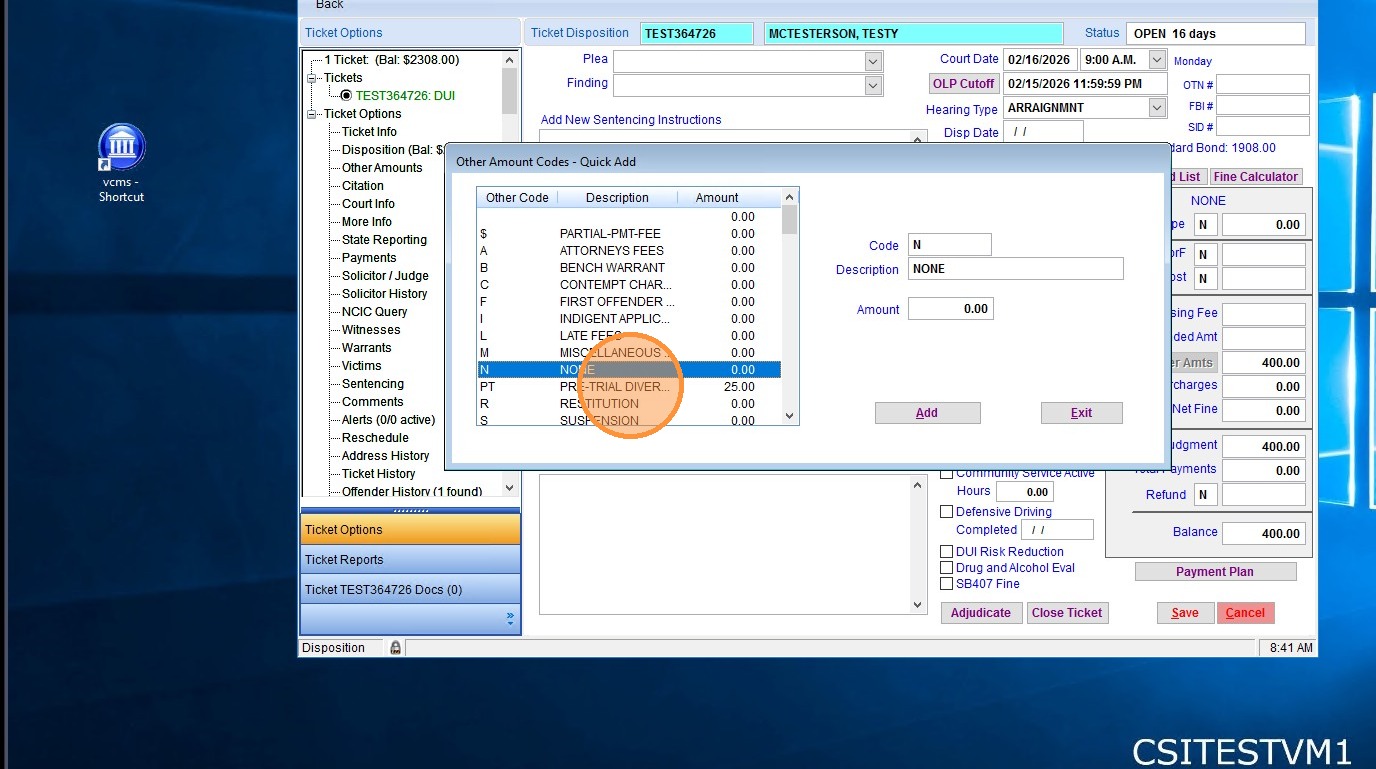
2. Select the same "Pre-Trial" other amount that was used for the original fee.
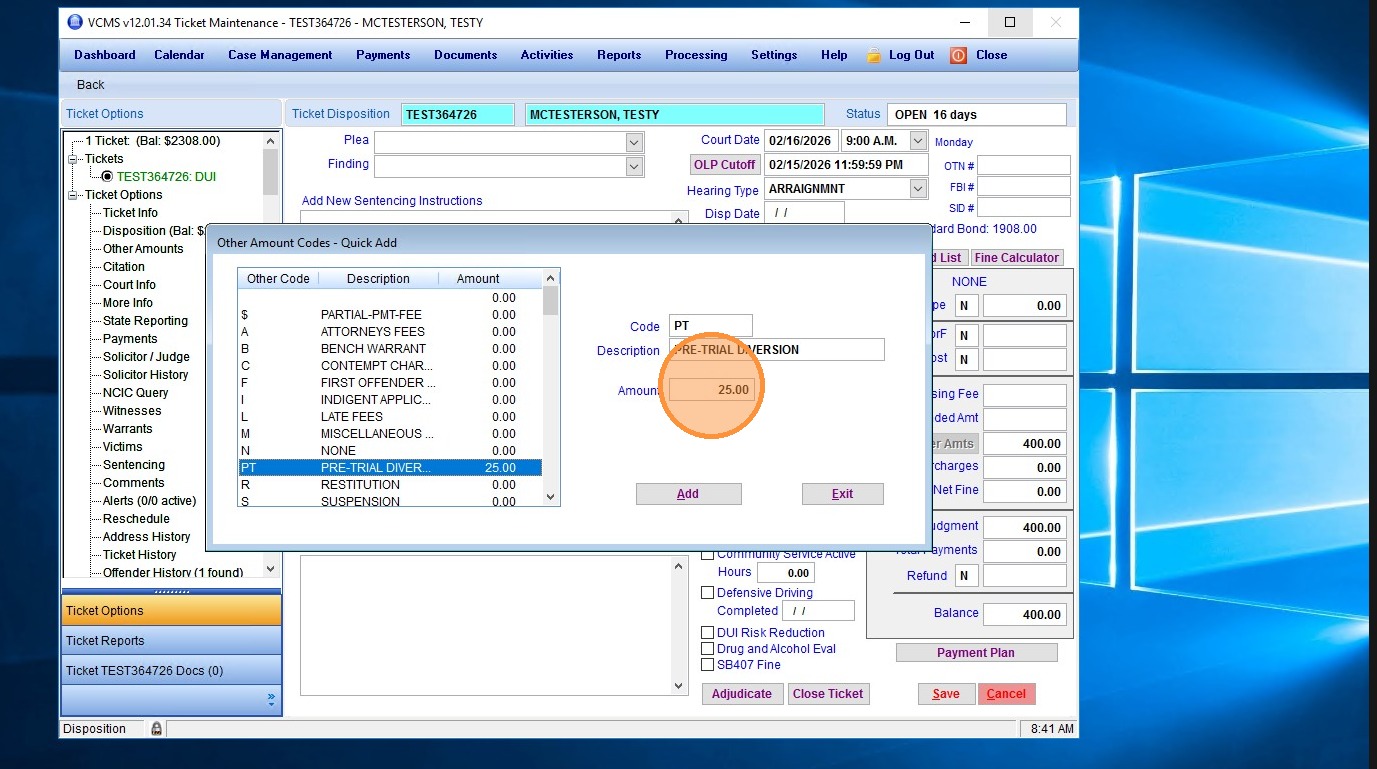
3. Edit the amount, and enter a negative amount equal to the converted portion. In this case it is $300, so "-300.00" would be entered.
4. Then click "Add" to apply the new other amount.
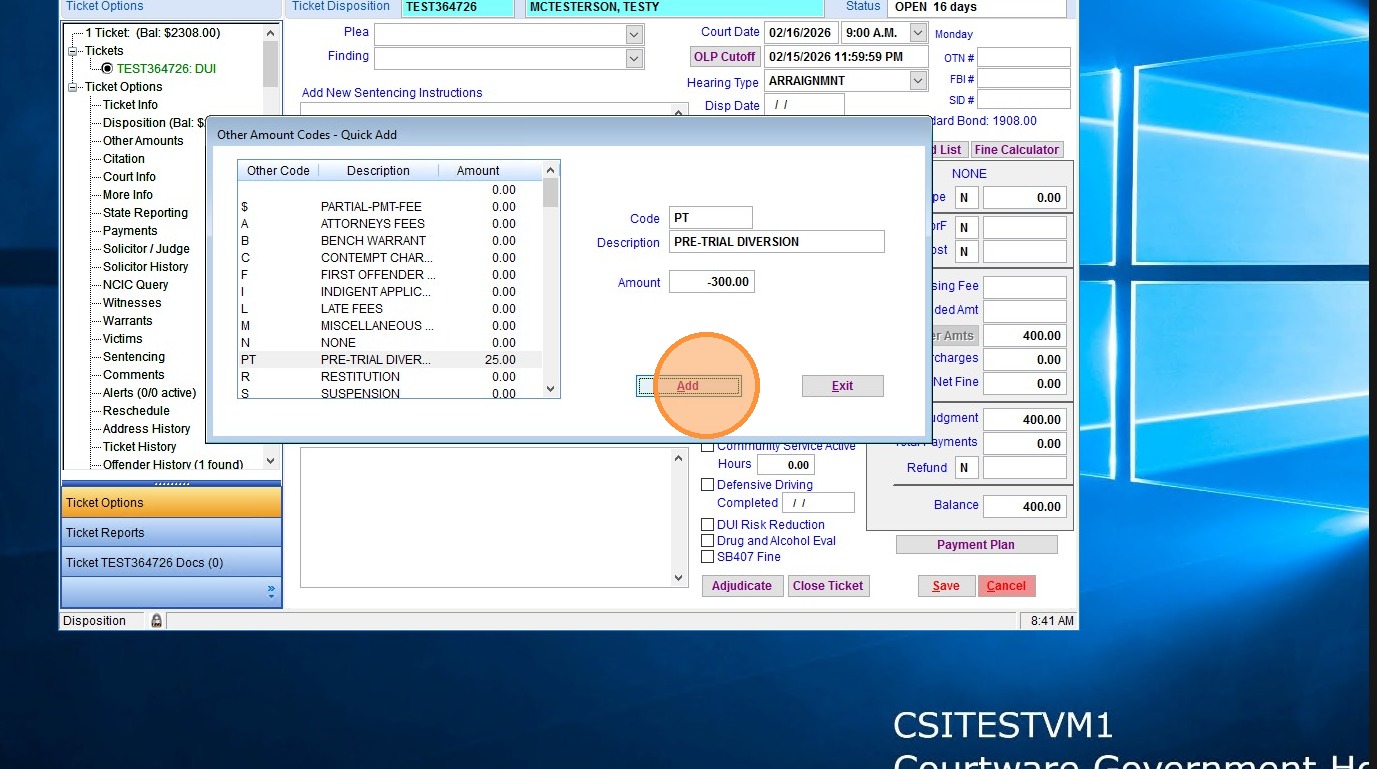
5. You will notice that your balance drops to $100. You can save the ticket and then document the details of the conversion in the comments.
Related Articles
Entering a New Ticket in VCMS
To enter a ticket/citation into VCMS follow the instructions below Below are the steps for entering a new ticket (citation) into VCMS. Step 1: From the top menu, select “Case Management,” which opens the case management screen and includes the ...VCMS: Ticket Entry
There are multiple ways to enter a ticket manually into VCMS. For a video walk through, please use the link below and fast forward to 21:45 in the video. This video is a VCMS Court Clerk webinar where we are teaching the highlights of working in ...How to Run the Georgia AOC Caseload Report in VCMS
1. Click "Reports" 2. Double-click "GA_AOC CASELOAD" 3. Enter the last day of the year you are reporting (for 2025, you would use 12/31/2025); 4. then select the hearing type that your court uses to document bench trials. For most courts, this will ...How do I correct Import Errors in VCMS for GSP Citations?
Correcting Import Errors Officer Code Not Found Error Please note that you will need the following information to correct this error: 1. The Import Error list that prints when attempting to run the Consolidated Ticket Import in VCMS. This error ...OLE error code when running VCMS on Courtware Hosting (Azure) Server
Complaint: We are receiving an OLE error code and can not log in to VCMS. This is most often caused by maintenance processes that run automatically each night to ensure proper operation of the server. Any user that is still signed into Courtware ...