How to Activate or Deactivate VCMS Debug Log File
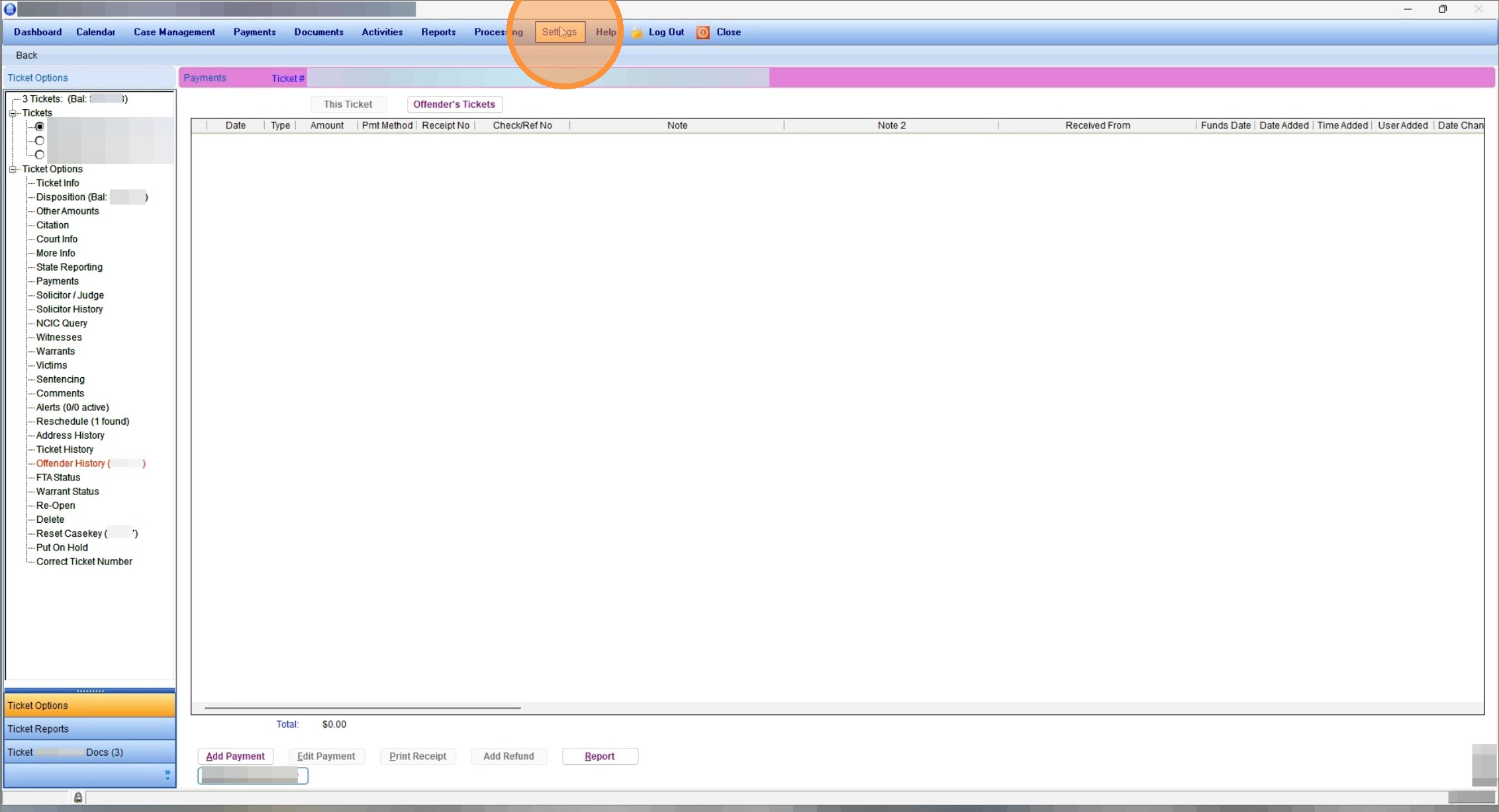
1. Click Settings
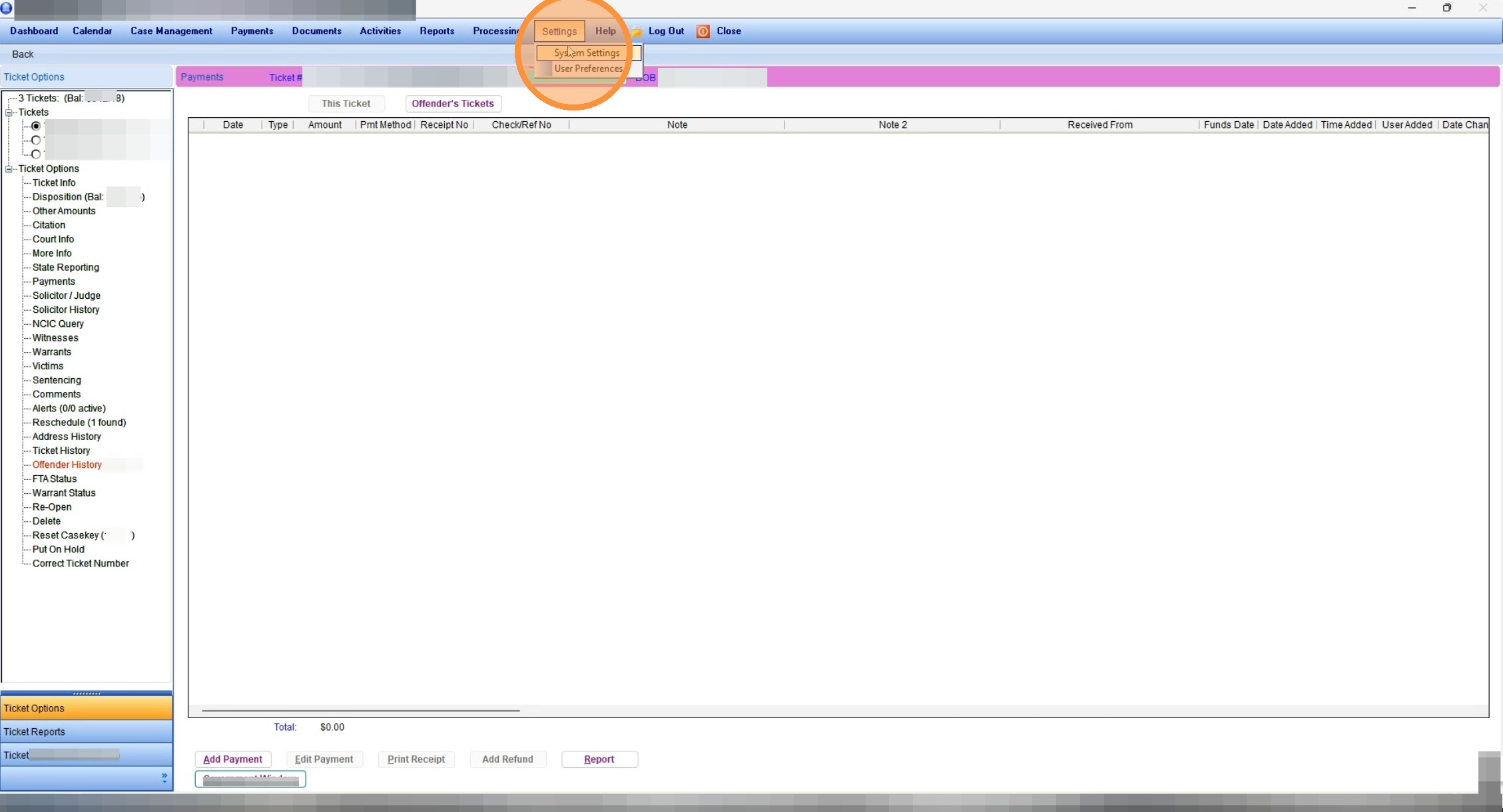
2. Click "System Settings"
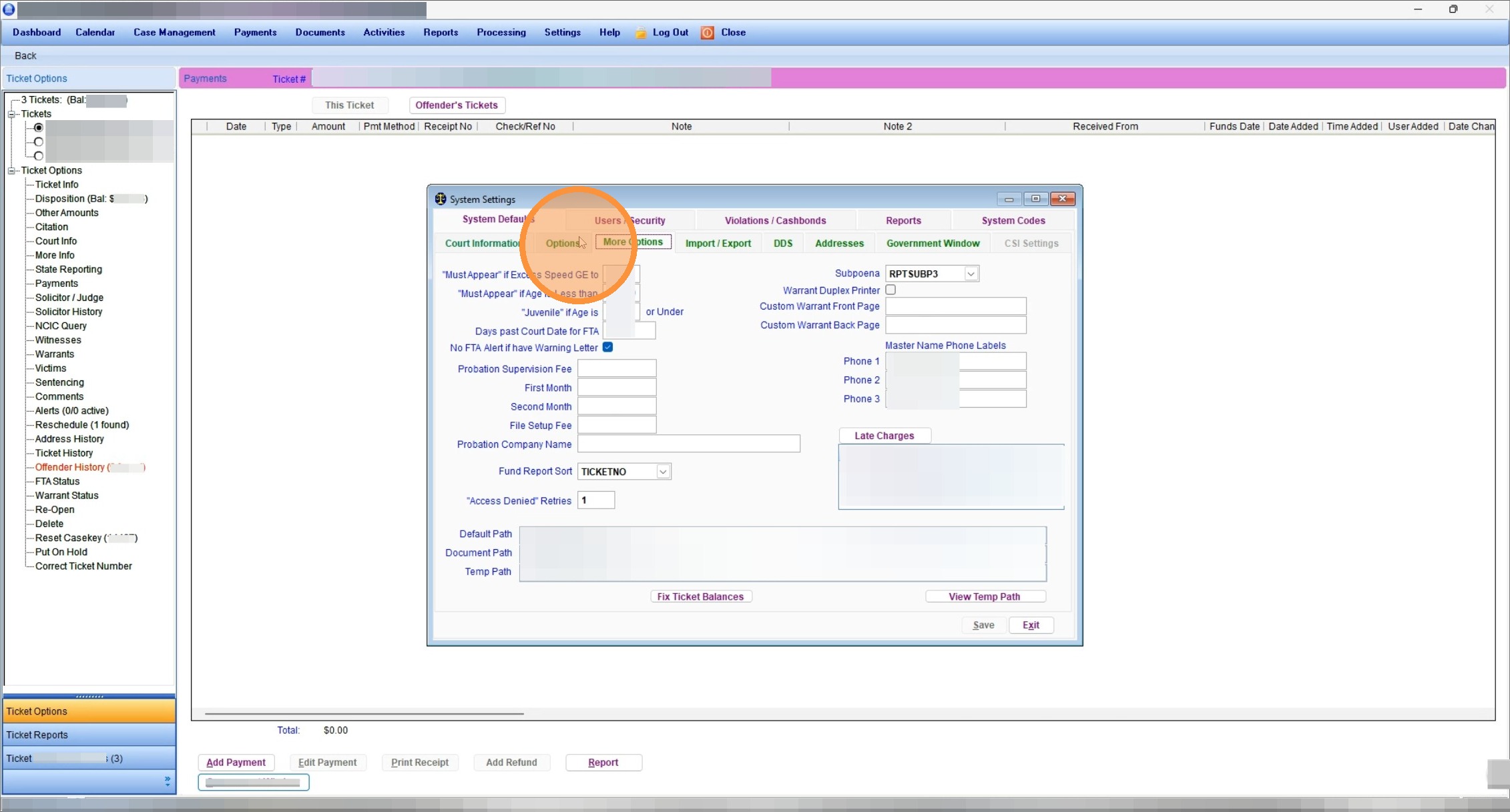
3. Click "Options"
4. Check the box next to "VCMS Debug Log File"
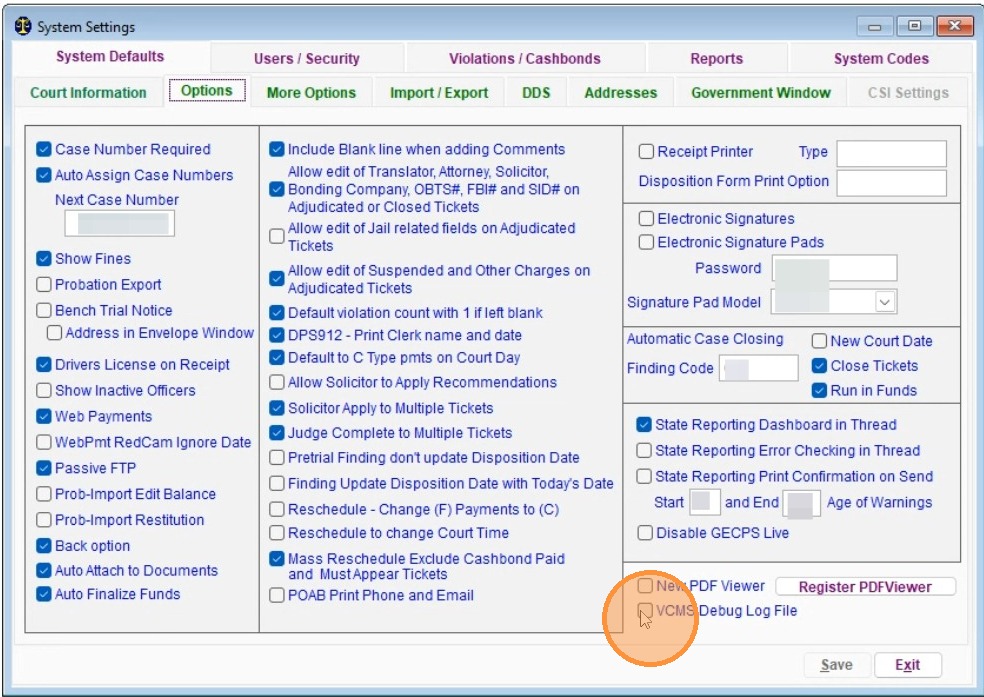
5. Click "Save", then go perform the actions that cause the issue in question.
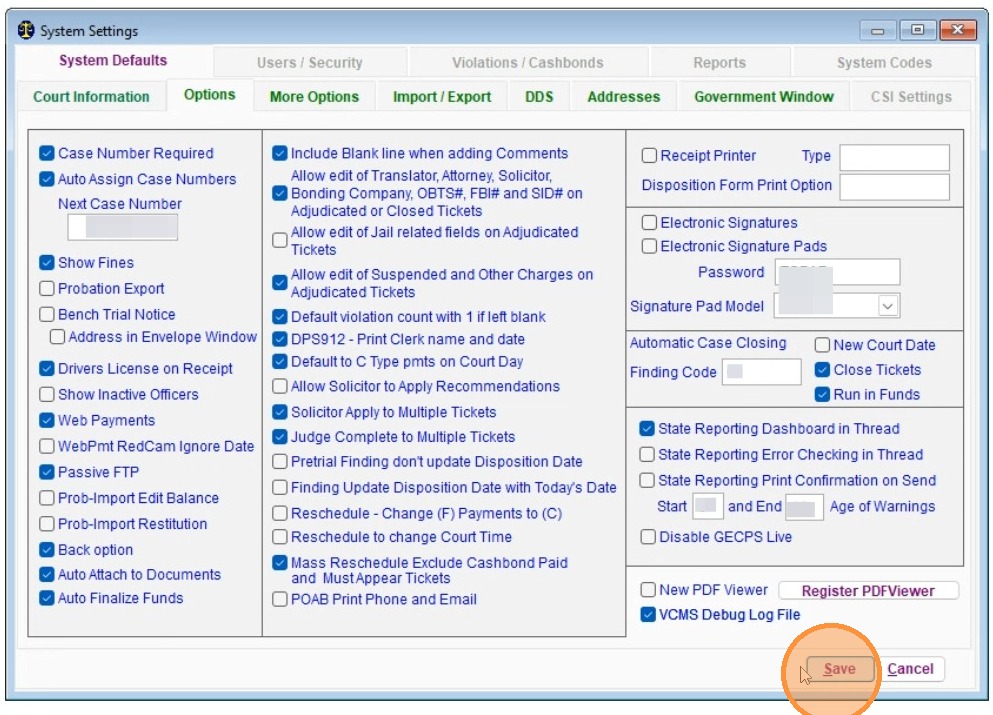
6. Once you are done, return to "Settings - System Settings - Options" and uncheck " "VCMS Debug Log File"...
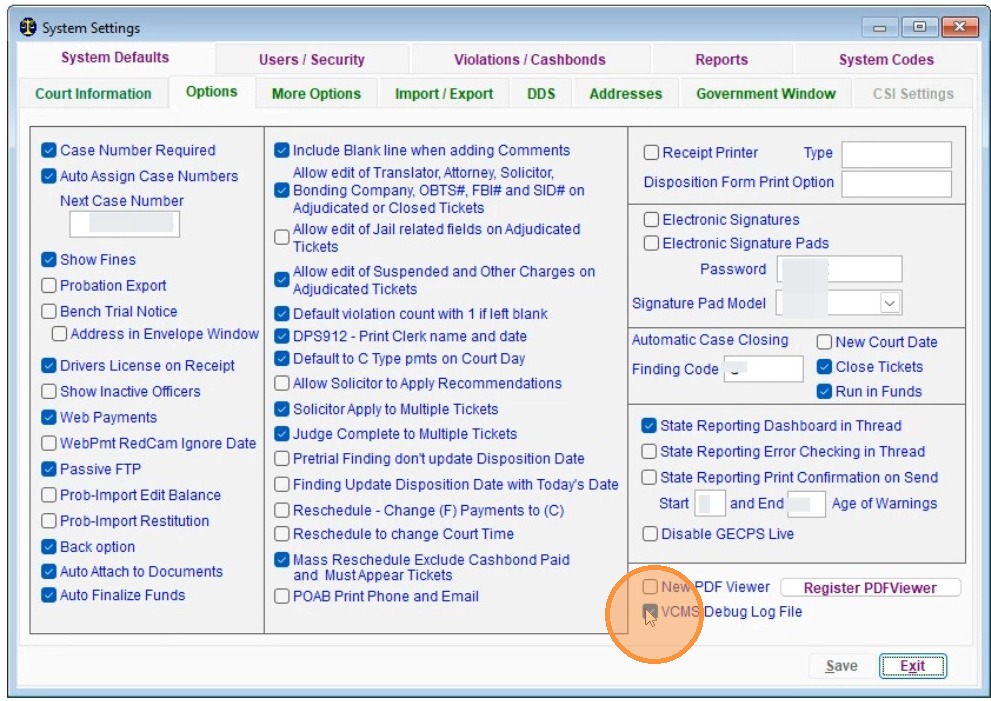
7. then click save...
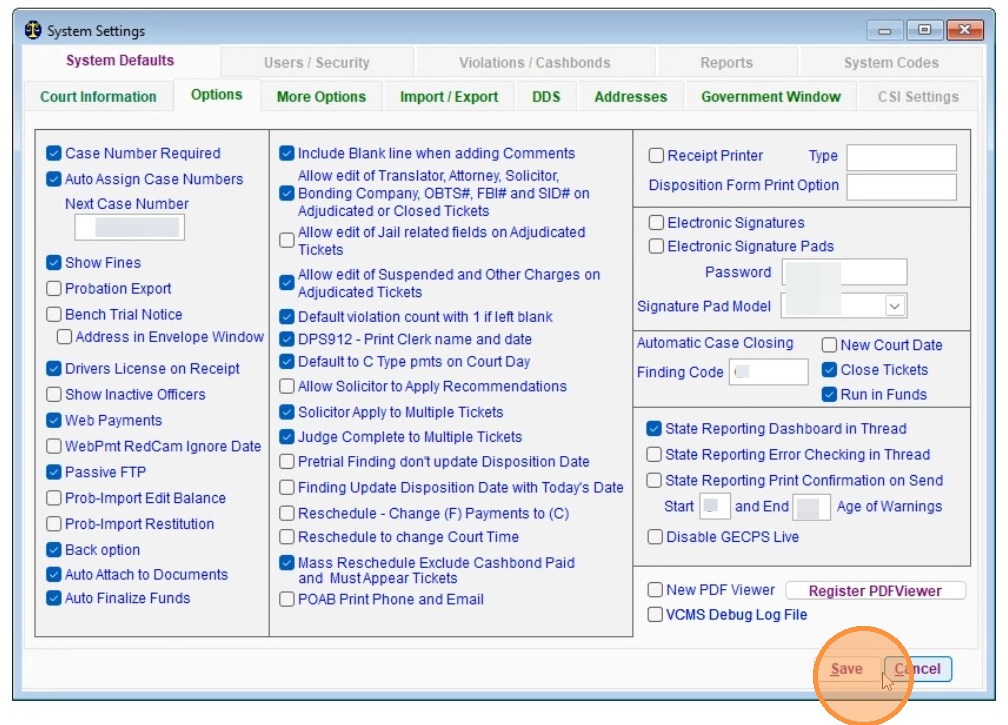
8. and exit
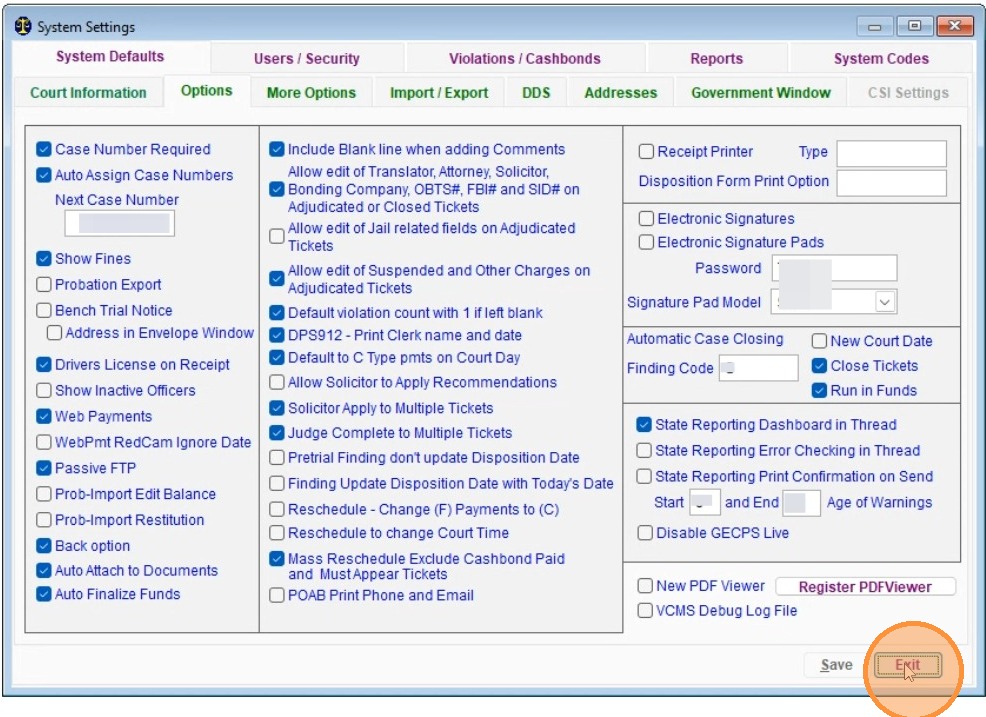
Alert: While the VCMS Debug Log File is active, you will likely notice poor performance of the VCMS system due to the volume of logs being written. Your performance will return once the log file is deactivated.
Made with Scribe
Related Articles
How to Download a NIBRS Submission File for a Specific Report
Follow these steps to quickly access and download specific NIBRS incident files from the Justice-One platform. This guide simplifies the navigation process, ensuring you can retrieve your records efficiently. 1. Navigate to https://www.justice-one.us ...OLE error code when running VCMS on Courtware Hosting (Azure) Server
Complaint: We are receiving an OLE error code and can not log in to VCMS. This is most often caused by maintenance processes that run automatically each night to ensure proper operation of the server. Any user that is still signed into Courtware ...Entering a New Ticket in VCMS
To enter a ticket/citation into VCMS follow the instructions below Below are the steps for entering a new ticket (citation) into VCMS. Step 1: From the top menu, select “Case Management,” which opens the case management screen and includes the ...VCMS: Ticket Entry
There are multiple ways to enter a ticket manually into VCMS. For a video walk through, please use the link below and fast forward to 21:45 in the video. This video is a VCMS Court Clerk webinar where we are teaching the highlights of working in ...How do I correct Import Errors in VCMS for GSP Citations?
Correcting Import Errors Officer Code Not Found Error Please note that you will need the following information to correct this error: 1. The Import Error list that prints when attempting to run the Consolidated Ticket Import in VCMS. This error ...